sigma-rox-12-gps

Sigma ROX 12 GPS — Overview & User Tips

My Preferred Settings set on the Unit

  • Swipe down from the top
  • Tap on top menu > on screen brightness, disable “auto” (only use auto at night) > Adjust slider to max screen brightness.* Runs for about 7 hours & then get a low battery (25%) warning with backlight on all the time, so I set the backlight to go off in 2 minutes.
  • Check that the compass accuracy is “high.”
  • Auto Pause should be on (disable for mountain biking).
  • Strava Live Segments Off.
  • Settings > User > Name = RR, HRmax = 150 BPM (for early 2019)

*If not clear enough, try Settings > Device > Display Settings > Color Mode > Night

My Preferred Settings set via the Sigma Data Center (iMac)

  • Settings > Device > Auto Sleep > 5 mins. (only goes to sleep when an activity is not running)
  • Settings > Device > Altitude Calibration > Automatic
  • Settings > Map > Map Orientation > Heading Direction
  • Settings > Map > Auto Zoom > Off (red)
  • Settings > Connect Sensor > Heart rate monitor (if new firmware)
  • Settings > WiFi > Connect locally as needed or use hotspot
  • Settings > Display Settings > Backlight Time > 2 min.
  • Settings > Display Settings > Color Mode >  Day
  • Settings > Sigma Cloud > Auto Share Settings > All Disabled (instead, go to Data Sync > Sync there manually).

Importing RWGPS Routes Using a Desktop Computer

First, export the RWGPS route as a GPX Track (include cues as waypoints) onto a location on my iMac. From there import that file into the Tracks section of the Sigma Data Center app on my iMac. I then attach the ROX 12 to the iMac via a USB cord & upload it to the ROX 12 using the Sigma Data Center desktop (iMac) application.

Importing RWGPS Routes When Away From a Desktop Computer

I typically upload tracks to the ROX 12 via the Sigma Data Center app on a desktop computer via a USB cord, but oddly enough, the Sigma Cloud App on the iPhone doesn’t provide a solution to upload routes when away from iMac. I only use this technique as a backup, in case I get to the start line of an event and the file is somehow missing from the ROX 12 or, if the ROX 12 was to crash in the field, in which case I would need to re-load the file.

First, create the route in Ride with GPS and then export that file as a GPX on my desktop computer (or if using mobile, save to my iCloud Drive > Desktop). Then use this “Strava Labs project” link to import the file it to my Strava account: https://labs.strava.com/gpx-to-route/#12/-122.44503/37.73651. Assuming Strava is synced on the ROX 12, it will then be available on the ROX 12 via these settings: Home > Strava > Show Strava Routes.

Following a Track

Screen shown after selecting a route.

Question for Sigma Tech Support: When I want to follow an uploaded route or “Track” I do the following: Tracks > Select the given route from a menu > Select.
And then I see the words: “Start Point” and “Closest Point” with a “Start” button below both of them. Which of the three buttons do I press next if I am at, or near the start? What if I am in the middle of the route? Can you provide clarification on what should be obvious?

Answer: I think you can choose between those 2 Buttons, then press start.

Sigma Tech Answer: You can choose between those 2 Buttons, then press start. (Upon pressing Start or Closest, nothing visual happens so you are not sure it “took,” but it does seem to work).

If Navigation Seems Wonky

More than once, I will be in the middle of a ride trying to follow a pre-loaded route and things wack out. For example, one time, while on a 62-mile route, the ROX said my “distance to destination” was 74 miles! What the heck. Usually this works:

Home Screen > Navigation > Stop Navigation > Yes > Back Arrow > Home Page > Track > Reselect Route > Start

How To Power Down When Riding Multi-day Rides

I like to save multi-day rides or long brevets as ONE long event.

At the end of the day: Press Stop Button (lower left on front face) > Back Arrow. Optional step: Hold Down the Power Button For 3 Seconds > Lock Screen. Elapsed time will continue & screen will darken. Charge the ROX 12 overnight, otherwise it will lose 2 or 3% of battery life every hour.

To resume activity: Power > Unlock > Screen > RDW or MTB Training > Start (lower right button on front face)

Uploading to Strava After a Ride 

This is an old photo. I have now disabled the auto sync with the Sigma Cloud (top menu) as it takes forever to sync there. All I care about is getting my data to Strava.

First unlink from the Sigma Cloud, otherwise the unit will spin endlessly trying to upload the ride there, instead of uploading it to Strava first.

  1. First, unlink the Sigma Cloud on the iPhone: Sigma Link > SIGMA CLOUD > Log Out
  2. Second, unlink Sigma Cloud on the ROX 12: Main screen, scroll to SIGMA CLOUD > Gear > Log Out
  • With WiFi nearby: it should do it automatically otherwise go to Home Page > Data Sync > Tap on 2nd menu (Strava logo) & then check for today’s date, confirming upload is done, or plug it into USB on iMac for latest upload.
  • With no Wi-Fi nearby: Turn off WiFi on phone. Enable Hotspot on iPhone. On ROX 12: Home button > Settings > WiFi > Select iPhone & Input Password. If it doesn’t sync automatically then go to ROX 12 > Home Page > Data Sync > Tap on 2nd menu (Strava logo) & then check for today’s date, confirming upload is done.

Error Message

Upon start-up the ROX 12 may give you this error message “SIGMA APP is not responding. Do you want to restart it?” Press “WAIT.” If you hit OK, it my lock up the whole unit.

If ROX Freezes: How To Reboot

If the device doesn’t boot at all we need to wipe the whole system.
Following the instructions. Please be sensitive with this data as the user can brick his ROX if he does other stuff in this recovery mode. It’s OK to tell him how he gets there and what he needs to do there but he should be informed to not do anything else:

Sigma app is not responding…wait or restart. Hit wait, not restart.

  • Press and hold the power button and the home button simultaneously till you see “Recovery Mode” on the Display (needs 20-30 seconds). This alone may wake up the unit and the following steps are unnecessary.
  • Press the home button and you will see some options.
  • With the left and right buttons navigate to “wipe data/factory reset” and press the power button.
  • Navigate to “yes” and press the power button. (My note: If it keeps repeating, hit the power down button or “reboot system now”).
  • The system gets wiped, choose to reboot the system afterwards.

Heart Rate Strap Problems

When the heart rate strap doesn’t sync (after syncing it once before) try:

  1. Home > Settings > Connect Sensor > Paired Sensors > Heartrate > Pair, using the number 4105 or search.
  2. Home > Settings > Connect Sensor > Paired Sensors > Heart Rate ID 4105 > Show Sensor Details > RSSI (signal strength): -40 thru -44 is excellent. -67 or higher is worse. https://www.metageek.com/training/resources/understanding-rssi.html
  3. Home > Settings > Connect Sensor > Paired Sensors > Heartrate > Disconnect & then re-pair per step #1.

Charging While Riding

Initially when you plug in and turn on an external USB battery you will get an error message that says you cannot upload tracks while recording an activity…simply press the round home button and continue navigating/recording your activity and the unit will charge.

Auto-Pause Thing

With Auto Pause on, it records the correct elapsed time, assuming I start moving immediately, BUT it appeared to “lose” 5–10  seconds, or more, if I started the GPS but didn’t start moving immediately.

Screen Brightness

As an ultra-distance roadie I frequently travel in areas where I need the navigation features. Since the audible beep “turn” feature is only 70-80% effective, I have to ride with a navigation map always up. My number ONE COMPLAINT with the ROX 12 is the navigation maps are hard to see in most daylight conditions, especially early or late in the day when the light on the screen is skimming across it and not directly hitting it or if the unit is in the shade of my body or head. I am using polarized sunglasses, but it doesn’t really seem to matter (I remove the glasses from time to time and have the same problem). The red “follow me” line against the dark green background field makes it difficult to see surrounding streets. A light-colored background, or a map with MORE CONTRAST as found on the default setting for Google maps, WOULD HELP IMMENSELY. With the backlit on the screen turned on all the time I barely get 5 to 6 hours of use before the low battery (25%) warning pops up. Zooming in a lot helps (to 750 ft), but then I can’t see what is up ahead.
Here is my solution: set the backlight so it goes off in two minutes and then during the ride, when brighter viewing is needed, tap on the screen and it will brighten up.

Navigating to the Start of a Route

The ROX 12 does not support navigation to a route, when that distance is over 300km: https://www.randonneurs.fi/sigma-rox-12-0-is-unsuitable-for-randonneurs/

Updating OS (or checking to see if you need an update)

  1. Backup sport profile to an external source like a hard drive of computer using Sigma Data Center.
  2. Plug unit into a wall outlet (not a computer) and be connected to WiFi.
  3. Using only the ROX 12 (not the Sigma Data Center): Home Screen > Settings > Update Firmware

Screens on My Road Bike Sport Profile

Cannondale Topstone Carbon — First Impression

For some time I have wanting to replace my rim-brake aluminum frame Cannondale Cyclocross “race” bike. Part of the problem with that bike was that with cantilever rim brakes it had little tire clearance, esp. near the rear chain stays as mud collected there. So I decided on the Cannondale Topstone Carbon. My reasoning for that model was based on the following factors:

  1. Unlike many other gravel bikes, this one came stock with a nice low “front end” gearing of 46/30 instead of road-specific 50/34 like many gravel bikes have.
  2. My one-and-only local bike shop is a Cannondale dealer, but doesn’t carry other major brands.
  3. The stack height was “more than average,” which for a guy who is 6’3″ tall, is important.
  4. The cost of Cannondale products are less than Trek and Specialized while typically provided similar quality.
  5. Kingpin suspension which offers up to 30mm of shock absorption.

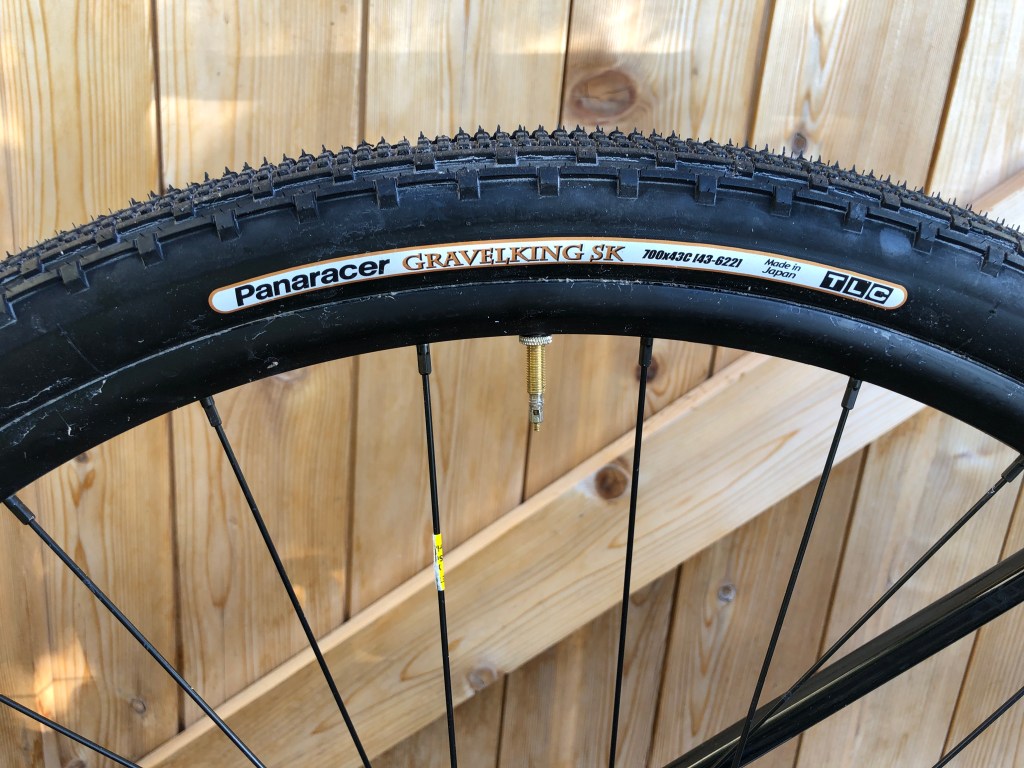
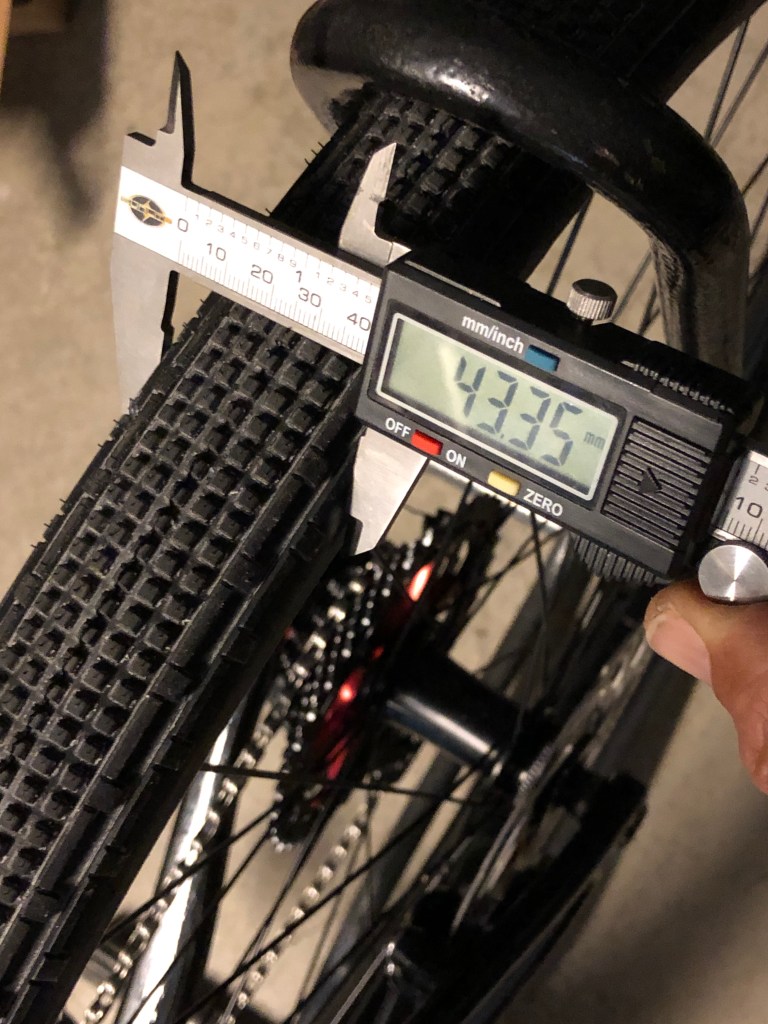
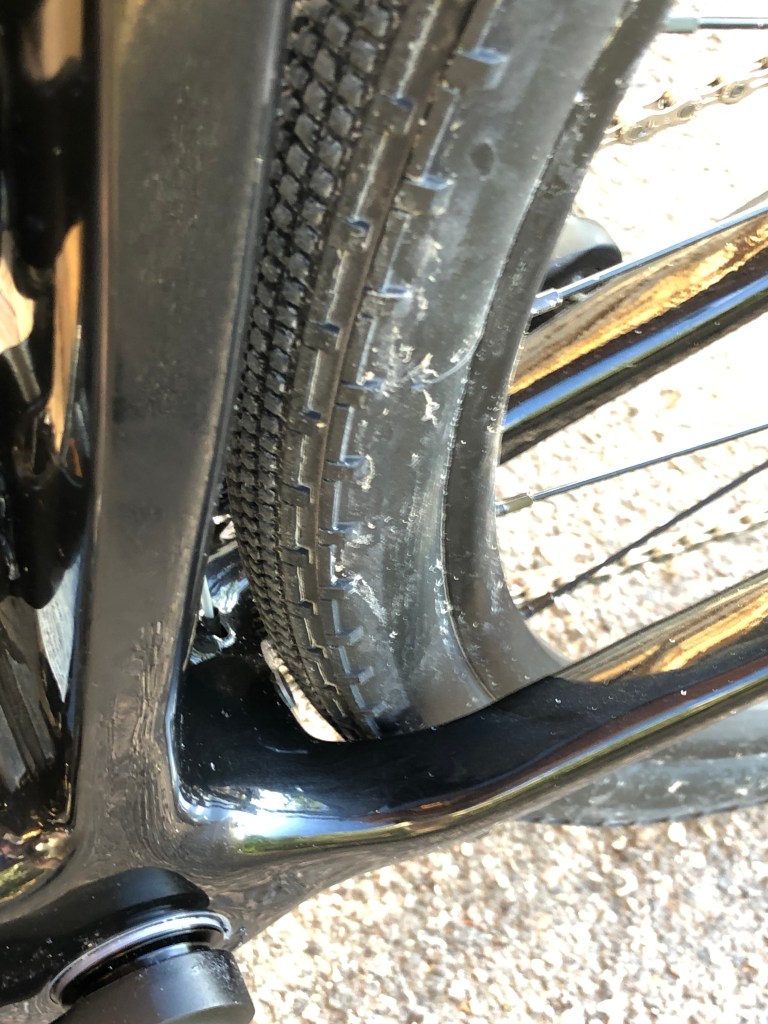
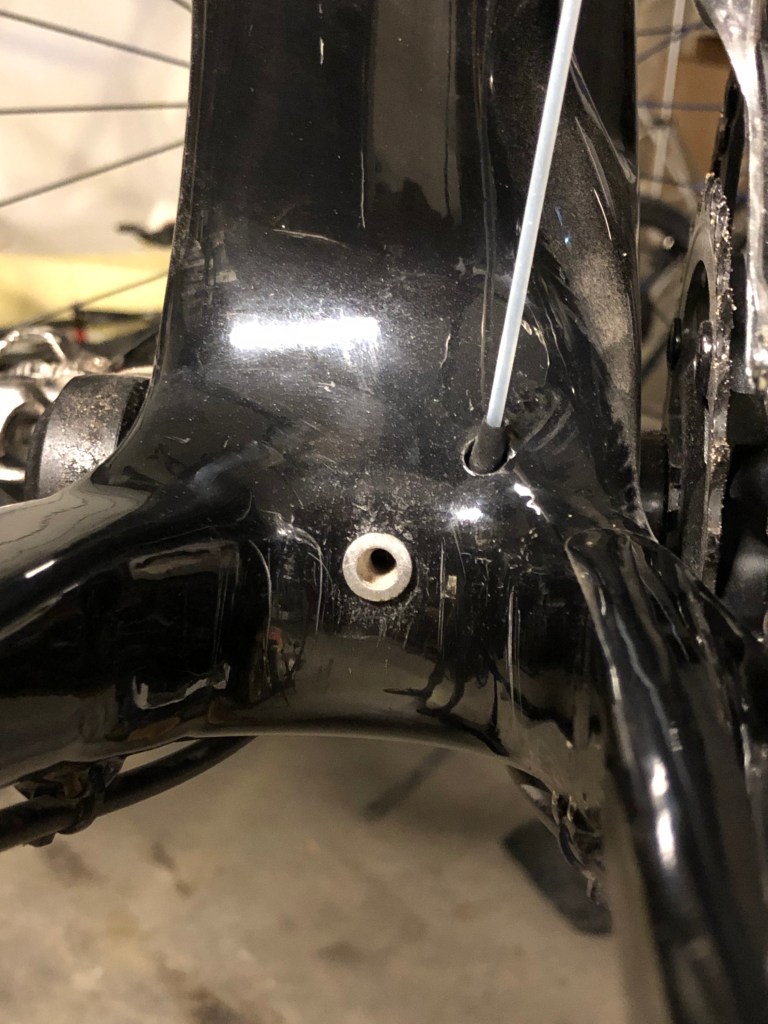
This bike, with disc brakes should have had more clearance…but man was I wrong! Their website says “Big tire clearance — comes with big 700cx37mm tires for grip and comfort, but has room for up to 40mm tires with tons of clearance. You can even put on 650 wheels with 48mm tires if small and fat is your thing.” I thought that with “tons of clearance” I thought I would be OK with 43mm rubber, but after installing 43mm Panaracer Gravelking SK “small knobby” tires and inflating them to 45 PSI the rear wheel would not turn at all! It rubbed against a fender bolt, just behind the bottom bracket. I removed the bolt and now the wheel will turn, but I can barely have 3mm of clearance between the bottom bracket and the front of the rear tire (I used an allen wrench to measure). Later, I took a Dremel and filed down (careful to not damage the carbon) the alloy ring gaining another millimeter and it now seems to be slightly better, but I still may go with a 38 or 40mm tire in the rear, instead of a 43 like I have there now. Ughhh. Buyer beware. Why do the bike manufacturers, when making a bike for “gravel and adventure” still think they are adhering to UCI cyclocross “race” regulations which max out at 33mm? Kills me. Is it because of chain line issues with the Q-factor of road bike cranks?

Eventually, I may get a 650b wheelset and run 47mm-wide knobbies for “those special days.”

Oh, one other thing…I’m 6’3″ tall (34″ inseam) and there is just enough stand-over height over the top tube. I am guessing that the BB height is higher than the average road bike to provide more clearance over obstacles and a nearly horizontal top tube maybe provides more clearance for frame bags. Not a deal breaker but something that was noticeably at first, but I am now used to it, after several long rides.

More later…I just wanted to quickly vent.

New Magnetic Pedal — A Review

Several years ago, a friend of mine from Colorado, Reed Jentzsch, mentioned that he was working on a new bicycle pedal design — one that uses magnets instead of the spring clip mechanism that is commonly used. He has been an engineer working with metals for most of his life. One of his passions is white water rafting but for years he also has done mountain biking and road cycling.
Last month, he sent me one of his prototypes to try out — the mountain bike version of his new product called the J-Pedal. My first impression was “Wow, this is really nice…go ahead and quit your day job.” Little did I know he already had quit his day job…or retired from it. I mostly do ultra-distance road or gravel riding. I started out with Shimano clipless road pedals. The problem with them is that the plastic cleats wore down quickly and carrying a pedal cover was a pain. And, on occasion, when I got sand in them, I could not clip in! Within a year of using these road pedals, I switched to SPD mountain bike pedals and have never looked back.
I mounted this J-Pedals prototype on my primary long distance bike, a carbon-fiber Project One Trek Domane. Then I swapped out the cleats on my MTB shoes for the J-Pedal cleats. Before riding outside, I placed my bike next to a table in my warehouse and practiced until I was sure I could “clip in and clip out” without issue. It couldn’t have been easier. I then went out and did a familiar 100km (62 mile) ride using these pedals.

J-Pedal Pros—

  • Very easy to “clip” in, especially compared to my one-sided Shimano A-600 clipless pedals. When unclipped, the Shimano do not always end up with the clip side “up” so I usually have to glance down while clipping in. With the J-Pedal, I never had to look down. Super intuitive.
  • To unclip from the J- Pedal, you just need to tilt, not twist (see attached picture). I found the J-Pedal to be much easier than the A-600 or other Shimano-type SPD clipless pedals (I have five bicycles with SPDs). This was especially easy with my wonky left ankle, which, due to an old mountaineering injury, makes it difficult to twist out of most spring-loaded clip pedals.
  • These new pedals have tons of float. I am guessing 8- to 10-degrees compared to 6-degrees on most of SPDs. At times I felt like I was ice skating with that much float. (Part of the reason for the slippery feel is because my sole is thinner than some so that there is less friction between the sole of the shoe and the pedal). Some people like that. Personally, I prefer a smaller amount of float, especially when climbing. But this is one of my subjective preferences in pedal design.
  • Strength. I purposely yanked up with all my force and could not deliberately disengage from the pedal. Nice! (I’m 64 years old and I suspect a younger fellow might be able to pop lose). The strength of the magnets seemed to be just the perfect balance.

 Cons of the J-Pedal—

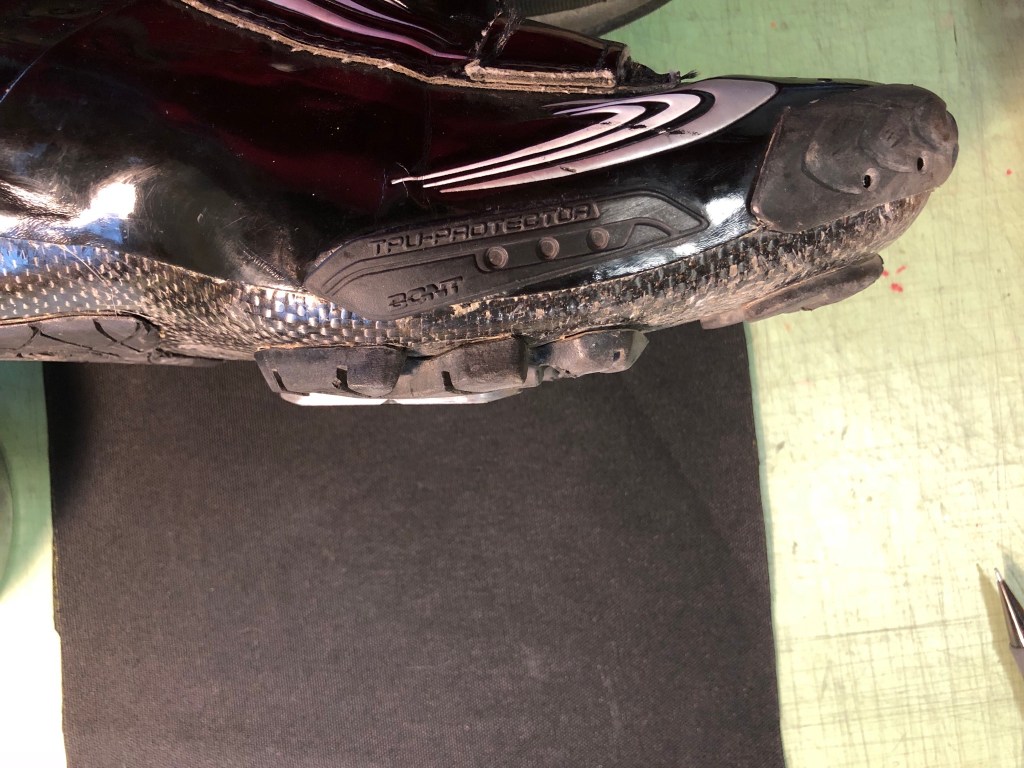
  • With my Bont MTB shoes, the thickness of the cleat was thicker than the thickness of my soles…so when walking I could feel the cleat tapping or scraping on the ground or floor. According to Reed, the J-Pedal owner/designer, the thickness of this cleat is consistent with most MTB sole thicknesses and the reason was that my sole was unusually thin. I believe his assessment to be reasonable.
  • The weight of each J-Pedal is 211 g and the weight of each cleat (w/o screws) was 69 g. My Shimano A-600’s, by comparison, weigh 276 g a pair. The cleats add 52 g per pair. My first suggestion was to machine out the underside of the cleat to lighten them. Reed seemed to think that would work without compromising the strength of the connection. Even then, I wonder if the weight will be comparable to other road cleats. Now, with a mountain bike, the average weight is perhaps 4 or 5 kg (10 pounds) more than most road bikes, so component weight is less critical on a mountain bike compared to a road bike.

Summary—

Most roadies use and prefer clipless pedals. Unlike mountain bikers, the need to quickly eject happens less often. For them, the speed of releasing is less important. Usually, when a roadie goes down, there is little time to react and unclip. Yeah, sometimes at stop lights, we forget, and tip over, but that is generally in the beginner days of using clipless pedals. (Many novice riders, and some of my randonneuring friends, use platform pedals with sandals or sneakers, but they are the minority). Mountain bikers, on the other hand, are more split. Many mountain bikers use clipless pedals, but I still hear of many others who started to use clipless systems but have gone back to platform pedals for safety — they simply couldn’t unclip quickly enough and crashed. And then, in some crashes, the bike is tied to you as you cartwheel down the mountain, causing you more injuries. The J-Pedal, on the other hand, pop outs much easier, reducing the risk of injury in the event of a crash. I guess what I am saying is that this design seems more suited to those using 2-bolt pedals for mountain biking rather than roadies. This pedal is especially relevant to downhill or enduro mountain bikers that have given up on clipless pedals. It should be, for them, “the cat’s pajamas.”

How To Add More Tire Clearance To Your Road Bike — DYI

For the past many years I have been using the Continental 4000S II tire in 25mm width on all my road bikes. After a tough 1000K this past summer, I wanted to try out some 28s and see if the ride was better. During the winter of 2017–18 I started experimenting with 28mm 4000S tires on my Trek Domane. Although they fit, the tolerances were very tight. I also wanted to use the set of full-length Bontrager fenders with these tires. For the rear tire, I have plenty of space behind my bottom bracket, near the chain stays, but oddly enough, the room below the brake bridge was tight. It left little room to spare (yet my stock Ultegra brake had plenty of adjustability). I inquired into having a custom frame builder move the bridge up a few millimeters, but the cost was $800 — way too much.

I came up the idea of taking either a small piece of wood or plastic and epoxying it inside the drop-outs. In my business I have lots of 1.5mm (.062″) HDPE scraps, so I took a piece of plastic, about 5 x10mm and bent it gently and glued it in place, making a shim of sorts. I also filed it down so the edges so they were smoother. I have done this on two of my road bikes, my Trek Domane to accommodate 28mm tires and also my Cervelo P3C TT bike (on the front fork only) so I can get 25mm tires on that frame. Because the skewers are pushed down a little more, I am most careful about tightening a lot now. (On the Domane I have to crank them down a ton anyway, otherwise it creaks!) On the Cervelo fork, I filed down the lawyer-tabs so they were smoother, as the fit was too funky without doing that.

With the 700c x 28mm 4000S tires I am getting width measurements of between 29 and 30.5mm on an 18mm I.D. alloy rim.

I have only had these in place for a few months now, but so far, it is working. Time will tell, but, it is better than investing $5,500 on a new carbon-fiber Domane with disc brakes!

My “Stable” of Road Bikes

In 2006, after two seasons of trail ultrarunning, my “bum” left ankle left me with no choice but to seek an alternative endurance sport. After all, I enjoyed trail running and ski mountaineering so I thought a mountain bike would be the logical first stop. In 2007 I purchased a Fezzari full suspension mountain bike. But shortly thereafter I also purchased a road bike and seemed to gravitate towards it more. Was that due to my lack of coordination on single track trails, or was it because I just wanted a runner’s high by doing long distance cardio? Or was it the simplicity of doing longer distance “Forest Gump” endurance workouts? I suspect it was a combination of all of these. For me, randonneuring seemed to be most like ultrarunning. Randonneuring is a timed long distance road cycling event, but unlike ultrarunning, it not classified as a race. (For additional background information, check out this intro page).

In any event, below is an overview of my road bikes which I have been using since I started actively riding in 2007. As of 2017, all of them are 10-speed with rim brakes (using tubes — no tubeless yet), so I can switch wheelsets around. I also have a 26″ full suspension Fezzari Alta Peak aluminum mountain bike with 2″-wide tires. It collects a lot of dust.

My go-to randonneuring or “distance” bike . It is often used for local training riding too.

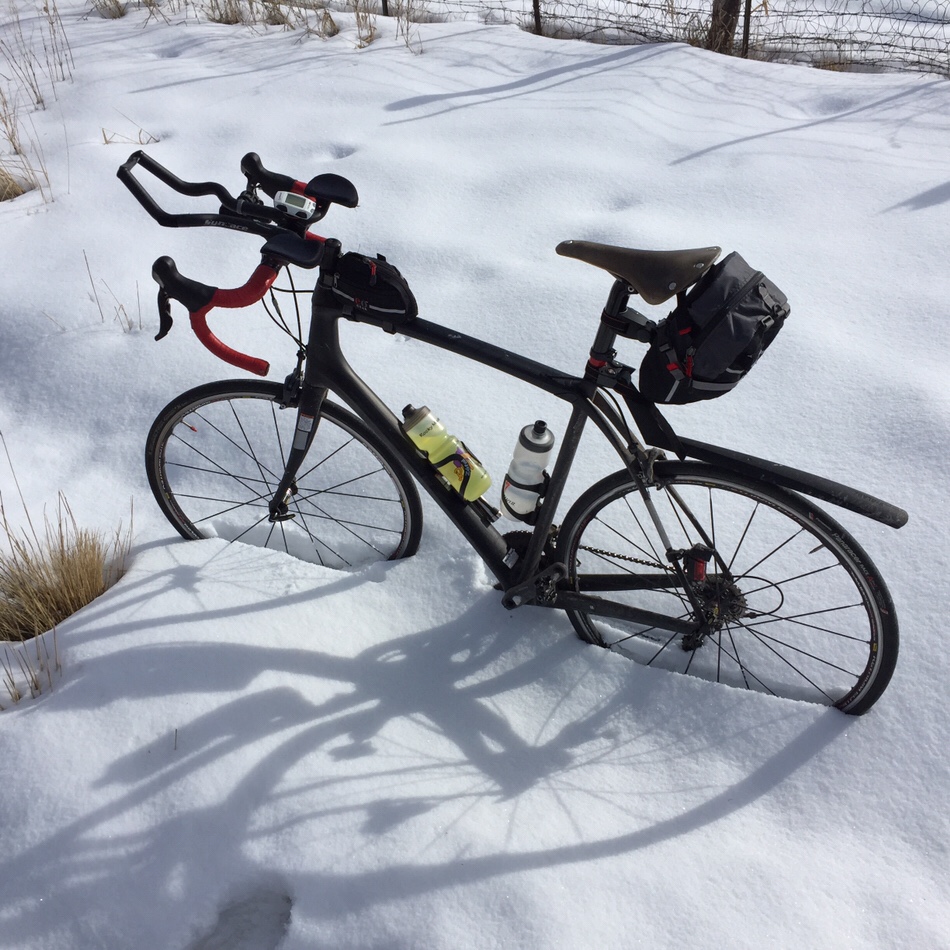
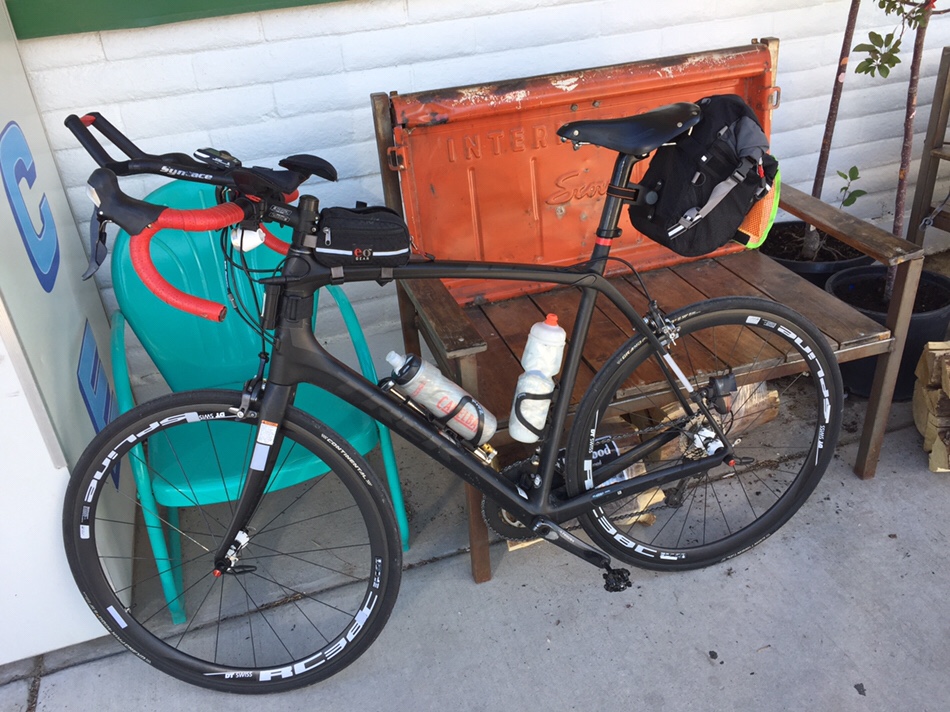
This is my go-to long distance “rando” bike. It is a 2013 62cm Trek Domane 6.2 Project One which I acquired in late 2014. It utilizes Trek’s 600-series carbon fiber, which is their lightest and stiffest offering. The fork is a tapered 1-1/2″ to 1-1/8″ (shouldn’t that be called 38.1 to 28.6mm, since everything else on road bikes is metric?) with internal routed cables (my local bike shop [LBS] hates internal cables!). Shown are the following components: Syntace C3 clip-on areobars, a clip-on SKS rear fender (only used when needed), an eoGEAR SeatBag 4.8, an eoGEAR Century (top tube) bag and a Brooks Cambium C17 saddle. It also has DT Swiss RR1450 alloy rim-brake wheelset with Continental 25mm 4000 S II tires. I have a 50/33 chainring (Shimano Ultegra crankset with an Italian-made special PMP 33-tooth small ring) and a SRAM PG1070 10-speed 12/36 cassette. An Ultegra RD-6700-A-GS long cage derailleur is used. Since this photo was taken, in 2017 I have migrated to using a Brooks Team Pro leather saddle (Ti frame) and have recycled the very-durable DT Swiss 240S 28-spoke hub with newer DT RR411 rims. These rims, which have an 18mm I.D., can accommodate 28mm-wide tires nicely. But the brake bridge on this 2013 frame is a little tight for Continental 4000 S II 28mm tires as they balloon out to about 31mm wide, so I started using other brands like Kenda and Schwable. (The fork, on the other hand, has plenty of clearance…Trek was short-sided by making the front end with plenty of clearance, but not enough on the back end). Finally, in 2019, Continental introduced the 5000 tire series and they are more “true to size,” in fact they run a tiny bit shy of 28mm. But they will fit inside this frame, so I don’t have to purchase a new frame with disc brakes.

Another shot of the Trek Domane with a larger eoGEAR seat bag (9 L model).


Trek Domane with fenders.

I have a pair of Bontrager fenders that are designed to go with the Trek Domane. Easy on and easy off. Full coverage. With 25mm tires they will fit under the brake bridge, but with 28s it does not clear and I plan to cut the fender in half, creating a “split fender” arrangement.

Cervélo Time Trial Frame, P3C

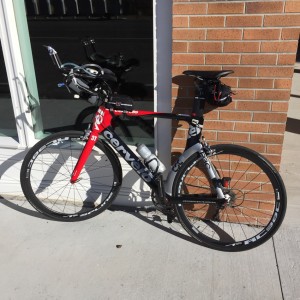
This is my 61cm Cervelo P3C time trial bike with mostly DuraAce components. It has a ceramic bottom bracket with FSA carbon fiber crank arms. It is used for solo (i.e. no drafting) events with less climbing (the gearing is much higher than my Trek Domane) and some 24-hour time-trial races. In November of 2014 I did my first 24-hour time trial race. I was using my Rocky Mountain Prestige with clip-on aerobars. But I unexpectedly found out that many of the others at that race had full-on time trial bikes, so afterwards, I decided to hunt one down. The next month I found a local deal on this 2008 frame and picked it up for a “song.” Components: I replaced the nice carbon fiber Profile Design Cobra Wing areobars with Syntace C3 alloy aerobars because the Cobra’s only mount below the bull-horn bars, placing them too low for my 6’4″ frame. I never did put handlebar tape on the carbon fiber bull horns and have found I kinda like the super smooth surface, even on long rides without pain in the palms of my hands (yes, I mostly the aerobars, but on long gradual climbs I set upright). I have added a Wolf Tooth 4-slot B-RAD Mounting Base to hold two water bottles cages on the down tube, a couple of eoGEAR bags (of course). Shown is a Chromag Trailmjaster LTD padded leather saddle (I was testing it but didn’t like it, I prefer the Brooks Team Pro like with my Trek. I have Issi SPD pedals (they offer models with longer spindles which accommodate my wonky left ankle which wants to rub the outside of  many crankarms), 52/39 chainring, 12/32 10-speed Ultegra cassette and a DT Swiss RC38C carbon fiber wheelset (20/24 bladed spokes, rim brakes, 38mm deep) with 25mm Continental 4000 S II tires. I sometimes move this wheelset over to my Trek Domane if I’m doing a route with less climbing and where I want a slightly more aero rig than the 28-spoke alloy DT Swiss RR 411 wheelset. It has horizontal drop-outs so I have to really crank down on the rear wheel quick-release skewer, otherwise the tire will rub on the drive-side chain stay…but because of the horizontal drop-out, I CAN use a moderately “fat” (25mm) tire.
Check out this page on how I “rando-ized” this frame (modified it) for longer rides.


Cannondale CAAD 8 “Gravel Grinder”

My gravel grinder is a 61cm Cannondale CAAD 8 aluminum cyclocross bike with stock Maddox OEM 700c rim-brake wheelset. I typically put 40mm rubber on the back (Clement X-PLOR MSO) and 35mm in the front (whatever knobby I have on hand). I have a 46/33 chainring with a “cheapy” Sunrace 10-speed CS-MX 11-41 cassette in the rear, mated to an MTB Shimano 9-speed XT derailleur (yup, it works with my 10-speed Ultegra shifters) mounted to a Wolf Tooth RoadLink which extends the derailleur out further. The saddle shown is Prologo Scratch Pro (142mm wide) mounted to a Specialized CG-R seatpost (to soften the harness of the alloy frame). I think I might change it out soon to my a Gilles Berthoud Aarivs leather saddle for more comfort.
Sometimes I use this as a hard tail mountain bike and on long mountain descents, having disc brakes would make for less hand fatigue. And, disc brakes should allow a fatter tire. 40–42mm is about the max width for this frame.

Rocky Mountain Prestige (my first 100% carbon fiber frame)

For several years this was my lighter-weight “climbing bike” as it doesn’t have aerobars mounted on it. It is a 61cm Rocky Mountain Prestige carbon fiber road bike. It has a taller-than-average head tube (and stack height which is the more relevant geometry number), which was the prevailing reason for purchasing it; 30% off also helped convince me. It has rim brakes and shown is my old DT Swiss 1450 wheelset with 700c x 25mm Continental 4000 S II tubed tires. Sometimes I put a pair of Mavic Kysrium Eletes on it too. The eoGEAR bag shown is the SeatBag 2.3-IA. The saddle I have on this frame is a Brooks Cambium C13 158 (158mm wide with carbon fiber rails). It is super light & super comfortable for non aerobar use. For me, the narrow nose of this saddle doesn’t provide enough support for a bike with aerobars. In 2020 I found that saddle not perfect for me and started using a Fizik saddle instead. I purchased this 2009 edition bike new in April of 2010. In 2019 this frame went to Texas for use while visiting there (see note on the Seven below) and now has a set of Syntace aerobars mounted on it.


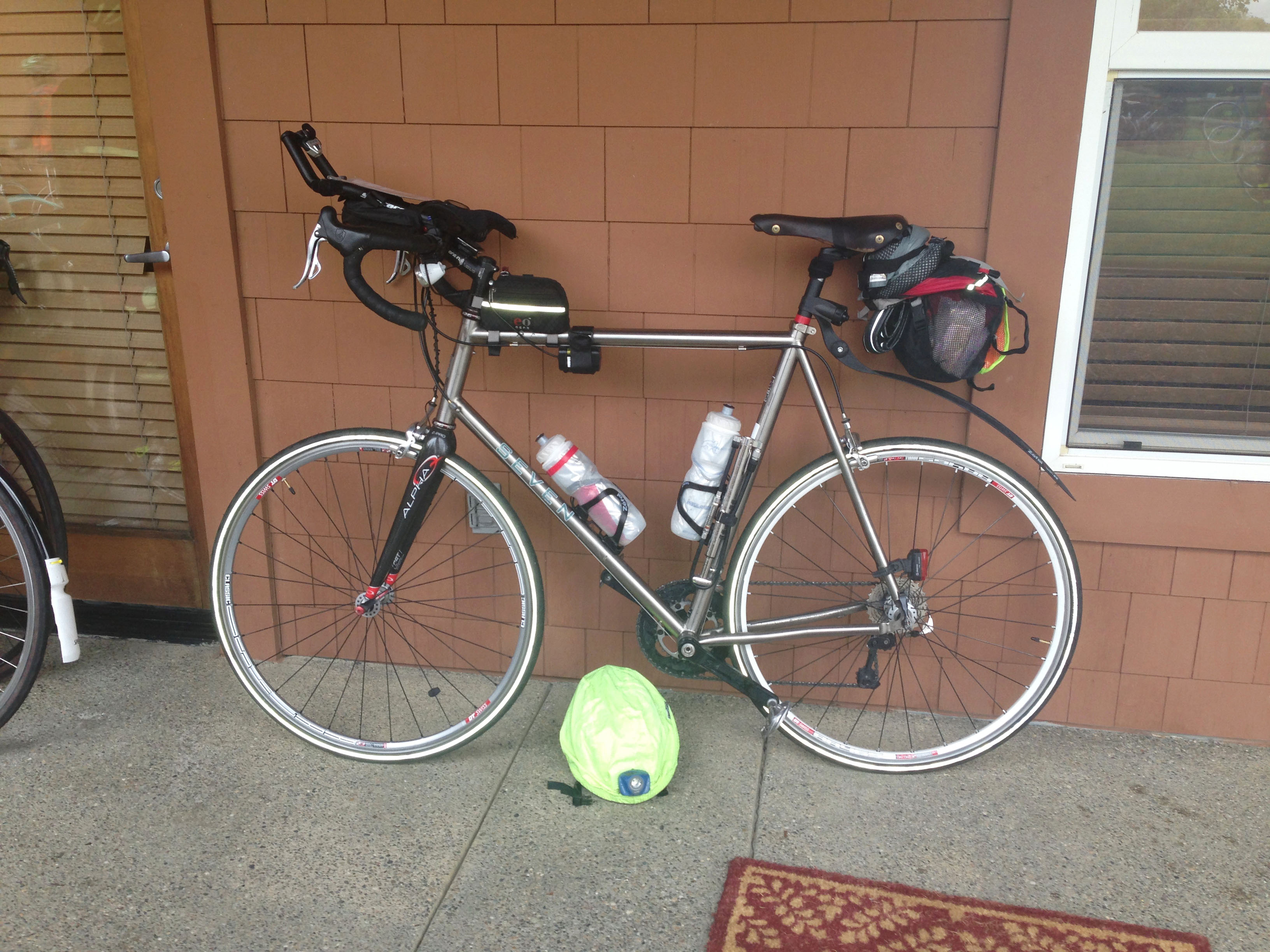
Seven Axiom Ti frame
Seven Axiom Titanium Rig

Seven Axiom Ti frame. Although it is double butted, it is still kinda harsh compared to my carbon fiber models. I used this for two seasons before moth-balling it, replacing it with the Trek Domane. This blog post explains why. Then in 2019, I sent my Rocky Mountain carbon frame to Texas, where my son and his family live, so I would have a bike to ride while visiting them. Consequently, I brough the Seven out of hibernation and made it my “climbing bike,” for rides that have mostly uphill climbing.
 

Skinny Tires — Fat Tires! (Trek Domane)


Coping with Neck Pain from Cycling

My first long ride on a road bike was a typical 100-mile charity “century” ride. That is where I first come to realize that neck pain was commonplace for many roadies. Since then, I have ridden thousands of miles, mostly using bicycles with aerobars. I use the aerobars for two reasons (#1 is the most important): 1) As a 6′ 4″ tall person, aerodynamics on a road bike has always been an issue, so I adopted the use of these to limit my wind resistance. 2) Changing out of hand positions. Using aerobars enables me to move around more on the bike to limit the pain in my hands and lessen the fatigue in the upper body.

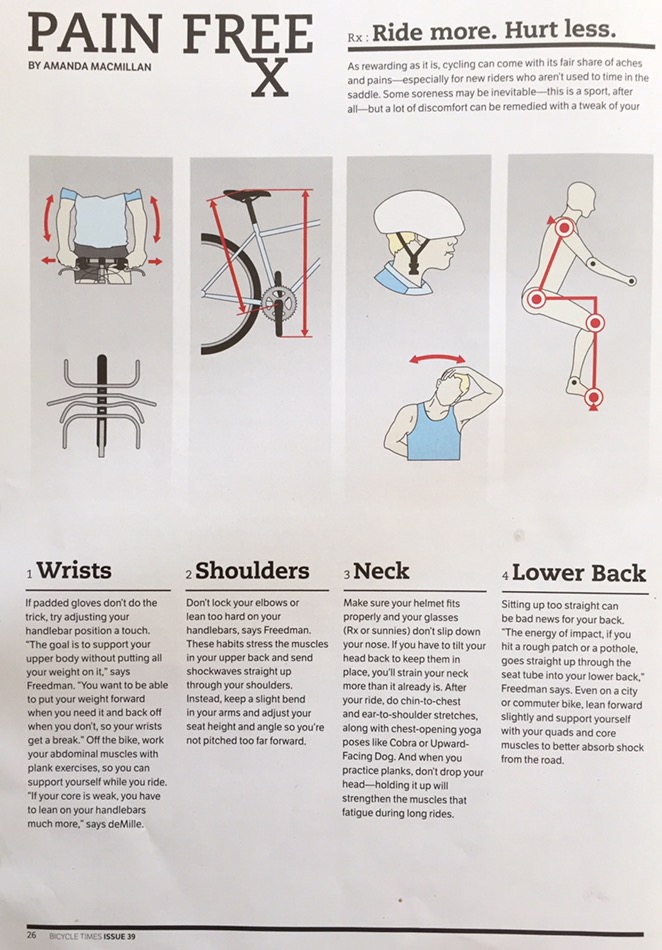
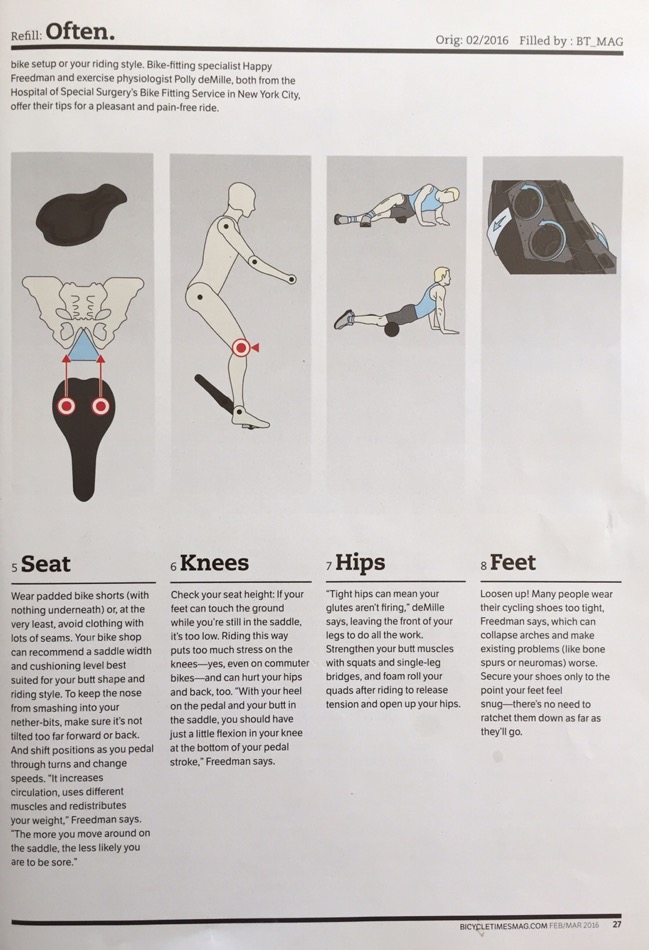
Recently I saw this article in the March 2016 issues of Bicycle Times magazine and have reposted it here (used by permission). Points two through four are relevant to neck pain.

I have consulted with my nephew, Jeremiah DeLlamas, who is a seasoned physical therapist. Below are his suggestions on how to alleviate soreness when riding.

When I ride, I really try to consciously remind myself to perform chin tucks and shoulder retraction exercises or Shoulder pinches. Because of the rounded shoulders and forward head in the extended position, this puts a lot of stress on the posterior disc of the cervical spine and deep cervical musculature. Try to deep the chin tuck exercises and this will help activate the deep cervical muscles as you are riding. Every 20-30 minutes remind yourself to do 10-15 chin tucks holding for 5 seconds. Stop in at the building when you are in town and we can go over more.

My takeaway from his suggestions was to regularly tilt my head down (aka chin tucks) while riding. I used to only turn side to side, which providing marginal, if any, benefit.

Hopefully, these suggestions will allow you to go further and/or faster, while minimizing your pain threshold!

10 Tips for Staying Warm while Cycling in the Winter

IMG_1494-2.jpg

Although living in the mountains of Central Utah at 6,000 feet is not as cold as Wisconsin, it still is a constant battle when trying to road cycle during the winter months. I have heard it said on other blog posts that “if you don’t feel a little cold before starting, you are overdressed.” For backcountry skiing & running I would agree with this statement, but for cycling, I disagree. I want to feel comfortable before I clip in — this is because of the wind chilling affect once you get moving.

I found the following pieces of clothing or equipment enable me to “comfortably survive” an all day ride during these cold winter days.

Feet

I use a medium-weight merino wool/synthetic blended running sock and chemical toe warmers. Sometimes I use a taller calf-length sock instead. Originally I started out using the Planet Bike Comet Shoe covers (aka neoprene booties), but found them to be much too large and bulky, catching on my crank arm — a very poor fit and design. I have since then switched to a Pearl Izumi ELITE Softshell MTB Shoe Cover and found they work very well. I like the back Velcro closure, instead of a zipper as found in other models.

Tip #1. Don’t wear socks that are too thick as they will impede your circulation. Chemical toe warmers work great, at least for about four or so hours. Try them — use them. Consider getting a larger ”winter only” pair of cycling shoes.

In February of 2016 I purchased a pair of 45Nrth Japanther cold weather shoes. They are designed for temps of 25-45F but I bet they would perform fine in lower temps. They are totally sealed on the bottom and would be perfect for wet-weather rides when a shoe cover is not enough (after prolonger time, water can penetrate through the holes where the cleats are on conventional MTB shoes). I later sold them as they were too stiff, not allowing my ankle to flex enough. I replaced them with a pair of Fizik Artica X5 boots.

45nrthjapanshoes

Pedals

In the winter, due to bulkier footwear, my heel rubs against my crank arms or chain stays. Also, due to a problem with my left ankle, this is exacerbated. I have started using the iSSi-brand SPD mountain bike pedals (instead of my Shimano A520s, which use the same cleat) because they offer it with a longer spindle. I prefer the +6mm model. The +12mm model is a bit overkill.

Tip #2. If necessary try a pedal with a longer spindle so you have more clearance so your foot doesn’t rub or so that your bulky winter clothing doesn’t catch on your chain.

Hands

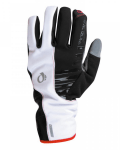
As one that does or has done a lot of cold weather sports like mountaineering and randonnée skiing (i.e. skimo or ski mountaineering), I have an assortment of gloves and mittens. I wrote a separate post on gloves, so visit that page for more info. Essentially, I use insulated mountaineering gloves with an inner liner that is made from fleece and/or neoprene. From 2017 to 2019 I started using a pair of Pearl Izumi Men’s ELITE Softshell Gel Glove which have 100 g of Primaloft Gold insulation in them. By themselves, they worked for me with a temperature range of about 25F to 50F. I liked them so much I also started to use them for backcountry skiing.

I have a pair of the well-designed Bar Mitts, but for me they don’t work as I switch back and forth between my hoods, drops and particularly my aerobars.

Tip #3. Layer your gloves, so when the weather gets warmer, later in the day, you can jettison the outer pair, while only wearing the inside pair.

Lower Body

As is standard practice with cycling bibs or shorts with a built-in chamois, wear no undies. I like the Craft Storm Bib-Tights made with their proprietary Vent-Air fabric. This bib has a windproof fabric in the front with a more breathable and stretchy soft fabric in the back. On super cold days (15-25F) I will also layer on top of them a heavy pair of leg warmers.

Tip #6. Many times one “windproof” layer over your crotch is sometimes just not enough. Use a lightweight pair of running shorts (blue product in the photo) and slip them over your bibs. Sure, it looks dorky, but it gets the job done. Later in the day, when it is warmer and/or when my body starts putting out more heat, remove them, stashing them in an eoGEAR seat bag. This extra layer should keep your “parts” from freezing.

Tip #7. Rather than wearing long underwear, which can cause chafing, consider putting on full-length leg warmers over your tights instead for that “extra” lower extremity layer.

Head

IMG_1863-0.jpg

I think I have nearly every style of head covering made. This is unlike water bottles (not just for cycling, but for skimo & SUP) — I’m anal about the details and keep trying new ones till I find one that is “the one.” Because of the circumference and “over the top” measurement of my head, I’m truly a fat-head. I find it difficult to find a hat that stays down over my ears. And going 20-30 MPH on a bicycle, my ears have gotta be covered in temps lower then 50F.
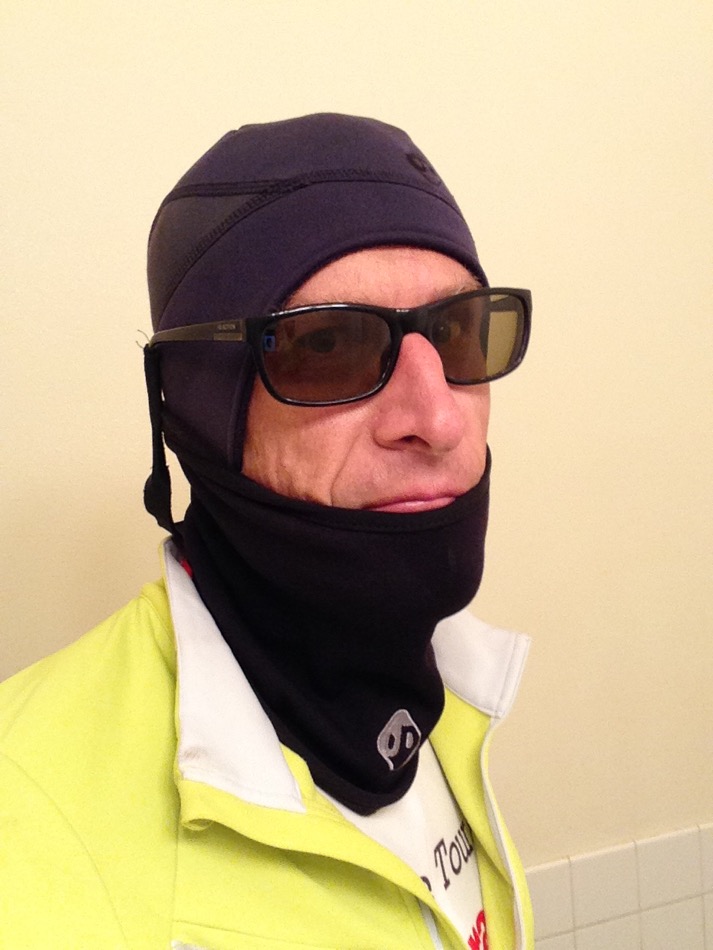
Currently, my favored models are from the brand Outdoor Designs from the U.K. My (for eoGEAR) primary outdoor distributor sells this brand and they are comparable to The North Face or Outdoor Research in the U.S. The cap I use is the Power Stretch Scoop with Polartec Powerstretch. Is has a stretch panel in the back providing as snug fit, yet big enough for my huge head. I then overlap it with an Outdoor Designs Power Tube neck gatior, made from the same material. I have used some hats that were simply not breathable enough (which used Polartec Windbloc) and my ears and side of my face got all wet from perspiration, which creates a whole another problem.
Sometimes, underneath my hat, I have also used a thin, but very windproof ear covering called the Halo Anti-Freeze Headband, (not shown in above photos) which is made from Dryline fabric. It is very windproof, but doesn’t cause my whole head to overheat and sweat.
Years ago, I originally started trying out various synthetic balaclavas but found they did not provide the same sung fit as this two- or three-piece arrangement — this is important with the higher moving speeds in road cycling, compared to MTB or gravel grinding. Besides, if it does get warmer, later in the day, I can loose a few of these layers.
I prefer synthetic head products as they are thinner compare to wool, and I need to still have enough space to put on my helmet!

Tip #4. In moderate temperatures of about 50-60F wearing your glasses under your headwear is OK. They just stay put better that way, but in colder temps, it is much warmer to put them on the outside (per the above photo), so the wind doesn’t seep into your cap and freeze your ears.

Tip #5. Choose head coverings that are ergonomically designed, instead of an “ordinary looking” beanie, which hikes up and off your ears, when you look up, i.e. when you are in the drops or on aerobars. Be careful of the thickness build-up so that your helmet will  still sit down properly to give you safe coverage. For that last reason, I prefer synthetic hats.

Upper Body

I generally wear a short-sleeve thin polyester base layer next to my skin (green in the photo). I don’t own any wool base-layer products, but should consider them because some synthetics can get stinky after a whole day of hard pedaling — at least the old polypro products did that. The newer polyesters are better. Over my base t-shirt I wear a mid-weight long sleeve mock turtle. Over that goes my jersey. My next layer is a skimo vest from Dynafit. It is insulated from Primaloft and has stretch side panels providing a nice tight, aerodynamic fit.

Over all that goes my “go-to” soft shell cycling jacket from Craft (neon yellow in photo). Craft, from Sweden, not only supplies apparel to cyclists, but also to nordic skiers — they know a thing or two about cold weather sports! This jacket uses their Vent-Air fabric and has just the right blend of windproofness and breathability.

There are four types of shells or jackets:

  • Hard shells are typically made from a thin nylon fabric with a waterproof/breathable laminate like the original GoreTex. The outside is treated is usually DWR treated to prevent water from soaking into the nylon fabric. They are designed for use in heavy or continuous rain. The best models are seam taped, meaning the sewn seams are fused together with an overlapping clear tape on the inside, so moisture doesn’t penetrate through the holes made from the sewing machine needle holes.
  • Soft shells, on the other hand, are designed for cold, mostly dry weather, with the possibility of a light rain. They provide a layer of insulation, unlike a hardshell which primarily just blocks the wind. Soft shells are very bulky compared to most hard shells, so if I am going to wear one, I use it on a day where I can wear it all day long and then remove layers underneath it. The big advantage of a soft shell is that it is stretchy, thus being more comfortable, especially when I am hunched over in my aerobars. I have found I can wear a soft shell with the front zip open up to temps of about 55-60F.
  • Hybrids are typically found on non-cycling apparel and have a hard shell waterproof/breathable fabric on the shoulders, while putting a stretchy softshell fabric elsewhere.
  • On more temperate days, where there is no forecast of precipitation, I will wear just a wind shell only. A wind shell is usually a jacket made from thin uncoated nylon or polyester fabric. The outer layer typically has a DWR treatment which will handle a light mist but not good in a real rainstorm. Some of the newer models use 40- or 70-denier fabric this is very lightweight and can stuff into it’s own rear pocket the size of an orange.

I also may pack a pair of arm warmers and use them when I remove my long sleeve mock turtle-neck shirt. The Pearl Izumi ELITE Thermal Arm Warmer is a good model and is thicker than other brands I have tried. I don’t care for the Pearl Izumi P.R.O. Softshell Arm Warmer — it is too thick and bulky. It is about as thick as my softshell jacket.

Tip #8. Understand the difference between different kinds of jackets, i.e. soft shell, hard shell etc. Pick the best one for your ride rather than taking two of them. The big advantage of a soft shell is that it is stretchy, thus being more comfortable, especially when one is hunched over in the drops or when using aerobars. On more temperate days, where there is no forecast of precipitation, consider using only a lightweight wind shell.

Tip #9. Consider the use of aerobars. It is much warmer when you are in this tucked position as the air literally pushes out and around your body, instead of hitting your chest and face which will cool your core.

Tip #10. Cycle with a friend or group. Drafting behind someone will increase your warmth.

Cold and Rainy Conditions

The coldest conditions I have ridden in are those nasty spring rides with lots of rain. If the low temperatures are around 35-45F and it is raining heavily for multiple hours…it can be game-over for me. I have not found the perfect solution for keeping my hands and feet warm in such conditions. I use a waterproof/breathable helmet cover, with a tail down the back to protect my neck and wear a hat that covers my ears. I suppose a pair of BarMitts would work for my hands, assuming I spent most of my time upright and not in the aerobars. But my feet? I have used thin “rain only” waterproof booties and it seems that over time, the rain will seep through, near the sole, despite a tight fit. My best solution has been using a thin (1.5-2mm) pair of neoprene socks. Maybe a pair of the insulated cycling shoes/boots might help, along with a pair of gaitors to prevent the water from entering from the top. I don’t own full length fenders for my long distance bike and I’m sure that would help.

Summary

As a randonneur, I have a goal of riding at one 200 km ride each month of the year. This generally takes all of the daylight which is available on any given day in December, so I have to move quickly to avoid any cold night riding. The rides in December, January and February are of course the roughest and necessitate the clothing and equipment mentioned above. The coldest I have ridden, with the above gear, is on day that started out at 17F and later to rose to 40F. If the forecast is colder than that, I drive 2-1/2 hours to southern Utah (or further to Las Vegas) where the elevation is lower and the temps are 20-30 degrees warmer. My biggest problem, as might suspect, is keeping my toes, hands and ears warm. I suppose I could purchase some of the winter-specific cycling shoes, but I have not yet investigated the useful temperature range of them. Keeping my fingers warm is another issue and the use of lobster-style gloves or electric-battery heated gloves would be necessary.

Creaky Bottom Bracket?

Trek Domane
 
This is my long distance rando bike which is the all-carbon model, the Trek Domane, with a BB 90 bottom bracket. It used to creak a lot. With every pedal stroke.I repeatedly lubed the bottom bracket to no avail. Finally one mechanic told me to use Loctite between the bearings and the edge of the frame which I also did, but that also did not help.

Finally, another friend suggested that I simply tighten the skewers on both wheels very, very tight. I did not believe him, and  still took it to my mechanic, who finally found this simple technique as the solution. He and I were both dumbfounded– it worked and after several thousand miles it has not creaked  once.

Incidentally, the best way to check whether or not the noise is the bottom bracket and not your pedals, is to simply step on the crank arm itself against the direction of the chain, so the wheel does not turn. Press or bounce up and down with your full bodyweight and listen.

Cycling Gloves — Quick Review

Fingerless Gloves

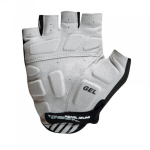
I have a pro-deal with Pearl Izumi, so I tend to buy perhaps more apparel than I need…(yet, much of it, I unload on eBay or Amazon if it doesn’t work for me). Earlier this summer (2015), I picked up a pair of the Pearl Izumi’s top-of-the-line fingerless cycling glove called the Men’s ELITE Gel Glove. What a mistake. Look at the pads—they are SOOOO thick! And the pads seem to be in the wrong location anyway yielding hot spots.

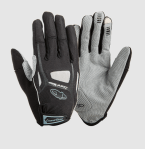
So then I picked up a pair of the XXL Lizard Skins LaSal 2.0 gloves. What a difference. They have just the right amount padding, but not too much. And also, the finger part of the gloves actually extends down more than 3 or 4mm like others do. This is my top pick for a fingerless. The runner up is the Chiba Gel Comfort glove (not shown).

Full Finger Gloves

I believe a full-finger glove’s purpose is to get your hands warm in cooler weather, but yet many have so much mesh that it doesn’t fulfill that purpose.

For several seasons, my go-to glove for moderate temperatures (my recommendation is 40-60F & light rain) is the XL Outdoor Designs Cycleflex gloves. They have a Polartec Power Shield liner which is windproof, but yet breathes enough. The build quality on these gloves is top notch, esp. the detail in the “fake” leather palm area. I just wish my U.S.-distributor imported in the U.S. the XXL version as the XL is tad too small for me. This company is big in the U.K. where they are based, but obscure in the U.S. so this product is hard to find. Lately (2017) I have been using the Pearl Izumi Cool Weather Glove in an XXL size. It does not have the robust construction of the Cycleflex gloves, but squishes down smaller in my bag when I switch to fingerless gloves. It is a good slope season full-figure glove.

I tried the Lizard Skins Monitor 1.0, their top-of-the-line full-finger glove. What a joke. Mostly mesh. Doesn’t keep anything warm. Send em back! The Craft Control Bike glove is similar — mostly mesh and little added warmth.

For cooler temperatures (my recommendation is 25-50F), I have been using the Pearl Izumi ELITE Softshell glove. Despite having thick gel pads like the fingerless model, I didn’t notice that pads, due to the 100 g Primaloft insulation in them. This glove has been very nice for temperatures from just below freezing to 45F, or sometimes in the mid 50s. The dexterity is reasonable, considering the insulative value. Since I’m 6’4″ most jacket sleeves don’t extend down far enough to cover my wrists while in the aero position, so I am always looking for a cold-weather glove with a longer-than-average gauntlet. These have a long gauntlet which works well in my attempts to stay warm.

For more extreme temperatures, I have gone to using full-on mountaineering gloves. I have used an XL 2013 version of the Outdoor Designs McKinley Mountain Gauntlet which has a 100 g DuPont Thermolite Active insulation sewn into the outer glove plus an Event waterproof/breathable membrane. It has a removable insulated liner glove, which I frequently replace with the Outdoor Designs Cycleflex, or better yet, the XXL Craft Storm glove. (The stock liner is just too bulky for cycling). The Storm is a nice mid-weight glove made from a combination of fleece and neoprene type fabric. It works well in a light rain too and by itself, and is useful in temps from about 40-60F. I also use the Storm a lot for randonnée or backcountry skiing (with the Denali in my backpack for sub-freezing temps [0-40F] or extreme winds found at above-timberline elevations).

Full Finger Gloves for Rain

Earlier this year, on a spring ride (a 400K which we all DNFed due to the cold), we had temps around 40-45F with a constant downpouring of rain. I had a pair of Outdoor Designs Summitlite gloves with a liner, but I just couldn’t stay warm. Besides, the bemberg liner on those gloves would come up when I removed my hands (if I forget to pinch the glove finger ends) and then it was near impossible to insert them back in. Needless to say, my fingers were cold. Since then, I picked up a pair of the XXL Pearl Izumi P.R.O. Barrier WxB gloves, which are a mid-weight glove with Outdry, a waterproof/breathable membrane. I plan to line them with a lighter fleece glove or the Storm Craft. I have yet to use these. I plan to take them on long trips where there is expected to be cold and rainy conditions.

I have also used the Seirus All Weather Xtreme™ Glove for rainy conditions. It is OK down to about 45-50F and rain. But like I mentioned above, the liner has a tendency to come out when your hand is removed.

Another style I have used are scuba-diver/river runner neoprene gloves (& socks too) for super rainy conditions. They work well, until the temps drop below 45F, then, for me, my fingers just don’t stay warm.

I have heard that for super wet and cold conditions, the only glove is a PVC seamless rubber glove…the type used by fisherman working in the arctic (or those to clean your oven). Then line it with a tight-fitting fleece or wool glove, which can be replaced every few hours, if it gets too sweat-saturated. In 2016 I purchased the Atlas Vinylove 620 for this purpose, but our season was remarkably dry so I did not get a chance to use them (I spent most of that spring rando skiing instead of cycling). They are bulky enough to slip a liner inside them — I will report in after using them.

How to “Randoize” a TT Bike


Last year, I was surprised that on the 24-hour races I was in, how many how full-on TT bikes there were, instead of a regular bike with clip-on aerobars. In December of 2014 I picked up a 2nd hand Cervelo P3C time trial / triathlon bike (for a song). Since many (most) of my training rides are solo, I figured “why not use a TT bike?” as it is faster. The exception is those routes that have a lot of steep climbing as the front chainring is 53/39, instead 50/33 like my other distance bikes. So this summer, but many of my 100K and some of 200K rides I have been using this machine.

Here is how to “Randoize” a TT bike (trick it out for use in randonneuring):

~ Add a second water bottle up underneath the aerobars with a hose that I can reach while writing. (This bike only has one water bottle attachment point.)

~ Add a custom-made eoGEAR bike bag that has Velcro long enough to go around the flat seatpost.

~ Long cage derailleur and a 12/30 cassette to make it easier getting up those nine or 10% hills.

~ Add a light extension bracket so the front main light is sitting below the handlebars. This position shows the texture and holes in the road better.

~ Mountain bike pedals to facilitate shoes that are easy to walk in.

~ Heavily padded TT saddle which presumably will absorb some of the vibrations of this stiff bike.

~ 38mm carbon wheels switch still except a standard 48 mm Presta valve. Deep enough to be slightly aero, but not so deep you get blown over in most cross winds.