Richard Stum’s randonneur cycling, rando skiing & SUP site. @rando_richard
Author: Rando Richard
I’m an old guy (age 69 in 2023) who enjoys aerobic, endurance sports. I call myself a cardio-junkie. Perhaps the more appropriate term would be “ultra” endurance sports. Since I was a teenager I have always enjoyed “slow twitch” outdoor sports like backpacking, ice climbing, running, mountaineering, hiking, alpine skiing and randonnée skiing (alpine touring, backcountry skiing or skimo). In 2005 I starting running with more regularity — except this time it was not for the intent of getting ready for a mountaineering trip, but as an end to itself. From 2005 to 2007 I managed to eek out two seasons of ultramarathons — that is competitive trail runs up to 50 or 100 miles. Due to a nagging ankle injury from the 80s (an accident while ice climbing in the 1980s where my lower tib and fib were badly broken), I had to cease that grueling, but rewarding activity. I then migrated into ultra distance road cycling or randonneuring. The rides are called brevets (pronounced bruh-VAY, it’s French) and are minimally supported — they are similar to ultrarunning and backpacking where one must be self reliant. Although brevets are non-competitive, they do have have cut off times to qualify as a finisher. They are usually are done in groups, which can have a competitive slant to them. Today, I continue to participate in long distance cycling including some ultra-racing, randonnée skiing (a blend of cross country and downhill disciplines) and still get out on an occasional mountaineering trip.
Since 1996 I have been designing, manufacturing and selling camera bags. That is Kinesis Photo Gear (kgear.com). In 2005 I started selling cycling bags under the Kinesis label and eventually expanded it to including other sports like SUP (stand-up paddle boarding and some skimo). Consequently, it become eoGEAR — the “eo” stands for endurance outdoor.
My wife and I are empty-nesters now and we live and work out in the boondocks of central Utah, half way between Salt Lake City (great powder) and Moab (great red rocks).
Well, I guess that is all for now. Safe travels mate! Perhaps I’ll see you on the road or trail.
— Richard Stum
This winter, after a two-year hiatus, I decided instead of doing a lot of indoor lap swimming that I would return to doing rando skiing or skimo (ski mountaineering). I participated in the two local races in February and March. I entered the regular “recreation” division, as opposed to the “elite” division. They are both ISMF-sanctioned (International Ski Mountaineering Federation).
The CROWBAR is held east of Logan. This year it appeared more people entered the elite division than the rec. It is not age-bracketed and I placed 8th out of 13th with a time of 2:15. Due to the very warm weather, the course was modified and had just under 3,000 vertical of climbing. Here’s my Strava link.
The Wasatch Powderkeg is the biggest SkiMo race in North America and is held in and out of bounds at Brighton Ski Resort in Utah. I finished 30 out of 38 (ouch!), with a time of 2:57. Here’s my Strava link for that one.
I am currently using pre-historic gear that is heavy or not race worthy. By next season, I should have more upgrades (i.e. lighter gear).
The new Sigma ROX 10 bike computer. Their first GPS-based model.
For the past several years, I have used Sigma analog “magnet wheel style” computers for some time now and like their large easy-to-read screens and overall design. Late last year, Sigma, the German company, released their first-ever GPS based cyclocomputer. They are offering the same computer body with two packaged versions. One version, the “Basic” package is the bare-boned package with no heart rate monitor, cadence sensor or wheel speed transmitter. Since it is GPS based I see no reason to also have a wheel speed transmitter. Also, since I already had two Garmin ANT+ heart rate chest transmitters, I opted for the “Basic” kit, instead of the more deluxe “Set” package.
For a similar price of the Garmin 200 or 500-series units, you get a lot more with the ROX 10.0. For that reason alone, I highly recommend this model. What you gain is the ability to upload previously created (or cycled) maps (i.e. GPX files made in RidewithGPS, Strava or Map My Ride). The maps on the ROX only show a reference line where you need to go and do not show surrounding streets or geographic features like the Garmin 800-series, but that is better than no map at all, as is the case with the Garmin 500.
User Tips
Chest Strap Syncing. For me, the manual (pg. 40) was confusing on how to sync the computer head to a chest strap heart rate transmitter. Here’s how, with the strap nearby the ROX: go to Settings > Bike 1–3 & Totals > ANT+ Pairing > Heart Rate 1.
Short Menu I missed this in the manual, but while on the primary “Training” screen, press both the upper buttons (Back & Enter) to quickly get to the “Short Menu,” which has several useful items like favorites (preferences for differing screen settings), elevation settings and uploading a previously created route or track.
Auto Pause I have found that I don’t enable the Auto Pause function as I like to separate moving time from total time. Page 23 says “Note: The exercise time is linked to the logging. If the exercise time is stopped, no data is recorded for further analysis. If the auto pause function is activated, the exercise time is identical to the trip time. If the auto pause function is deactivated, the trip time and the exercise time differ.
Backlight I have found that this light uses up a minimal amount of power, so lately (November 2015), I have it set to not turn off automatically after 10 or 30 seconds. I ran a test by leaving the light on for the duration of an 8-hour ride and the battery was depleted by 50%, which is about the same depletion I normally get with the light off the whole time.
Important Routes Note I currently create all my routes in Ride with GPS and then export them as a GPX file to my computer. From there they can be imported into the ROX using the Sigma Data Center software app. On a recent long ride, after downloading (or is it an “upload”?) my route, I checked to see if it “made it” onto the ROX via the Short Menu (see below) > Load Track > Stored Tracks. It showed up with the correct mileage displayed. But on the morning of the ride, the ROX constantly said I was off route. Upon further review (Short Menu > Load Track > Stored Tracks > Select “My Route” > Show Track, it displayed no map, despite indicating the correct mileage. Apparently I exported the wrong type of GPX from RWGPS, or the file was corrupt. Later, at home, I re-exported the route and it worked fine. So word to the wise…always double-check by viewing your route map on the ROX to insure it is properly uploaded.
Elevation Calibration As far as I can find, there is no auto elevation calibration. So at the beginning of every ride that is not near my known home elevation, I have found I need to go to Short Menu > Altitude > Manual Calibration and reset the elevation, otherwise, all day long, the elevation is reading as if I started it at my home elevation.
Preferences Perhaps one of my favorite features is the preference screen settings, which can be set up on my PC (Mac actually) and then later uploaded. With my Garmin fenix it can only be done on the tiny unit itself, taking hours because of the various disciplines or profiles (swimming, cycling, mountaineering, SUP etc.). I finally wrote them all down in a notebook before I sent the unit in for warranty replacement.
Software The packages do not included a software CD, instead they give you a license key (inside the box) to download it to your PC or Mac. My initial key didn’t work right, but Sigma’s great U.S.-based customer service quickly provided another that did work.
Below are Some Questions
or comments I sent to their tech support person regarding this product, along with their answer.
Q: You said “Anytime you come within 30m of that point it should recalibrate to your preset number.” What point? How does one set waypoints with this device? On pg. 26 of the manual it says “You can also mark special points of interest (POI) located near the route as waypoints.” Does that mean in RidewGPS after I mark POIs and the ROX will beep when I approach it? Or can I do create waypoints with the ROX as I travel?
A: POI is different from the Altitude points list. POI’s can be added to route that you then transfer to the ROX computer. The altitude points list you have to create on the ride at the location. Here is how you set that while on a ride: you have to be getting the GPS signal and then follow the steps to get into the short cut menu/altitude scroll to the bottom (Manual Calib) press enter, press enter, then using the -/+ buttons change the character/number that is selected then press enter to go to the next and repeat until you have set the elevation then press back/back/back and you should be at the training screen.
Q: If I’m doing a continuous 24-36-hour ultra event, do I want to set the Log Interval to 5 or 10 seconds, so I don’t max out the memory of the ROX? I will be using an external USB battery pack to keep it going for that long.
A: With the log memory empty at the start of the event you should get approximately 41 hours at 5 seconds and 82 hours at 10 second intervals. When you dock the computer with your MAC in the dashboard display in the upper left you will see LOG and below that it tells you how much memory is left depending on the interval selected.
Q: In tracking mode, what is the top of the screen oriented to? With my fenix, I can set it so the top is the direction of travel OR just north. I keep it in the direction of travel. It seems the ROX bounces around a lot when holding it in my hand. Is there a setting for this?
A (Short Answer): Short Menu (see top of page) > Track Settings > Track Direction. (But not found under Settings where one would think it would be.)
Long Answer: When you are in the track view or the altitude view you can change the options on the top of the display. Go to the device settings in the data center and go to favorites A (and or B) and open that drop down, there you will see the different views and the options available. Direction is one of the options but you can select up to six for track view and altitude view.
Q: After creating a route in RidewGPS or elsewhere and after exporting as a GPX file, can I just copy it onto the ROX w/o opening the Data Center and saving it there first? (seems like an extra step) With the fenix, the icon of the device shows up on my desktop (iMac) and I see the native files etc. that are on the device, whereas the ROX it doesn’t show up as a device on my computer, which is kinda weird as I thought all external devices that are attached show up.
A: No you will have to import the .GPX file into the data center first then export it to the ROX computer.
Q: I don’t have a power meter on my bike, so are the power settings (including power to weight ratio) not relevant or does the ROX provide a guestimate of those anyway?
A: The ROX computer has what they call Perceived Power, it is an algorithm that will use the user data that you enter then it calculates what it perceives is the power that it should take to do what you are doing. It is not the same as using a strain gauge power meter.
Q: With the Sigma PC15 (fitness watch) it gave me wonderful heart rate info, giving me time percentages of time in each of three zones. That was most helpful in training and for post-workout analysis. On page 32 of the manual it shows time at various intensities (but not percentage, a bummer), but I don’t see that data on Sigma Training Center. I know it shows on the ROX under Memory > Stored Tours. I am missing that info on the Data Center?
A: The HR % are shown in the data center, you can display the target zone, intensity zones, or the power zones. But while you are riding you can set it to intensity zones or you target zone and that will show % of max and it will show if you are below, in, or above your chosen zone.
Q: It appears that the stopwatch doesn’t work in the background…i.e. in an ultra event, I want to get a total time, after all the breaks and stops including those times when the ROX is turned off…but I guess that is not possible. Too bad. My Sigma 1609 (older non-GPS model) had such a feature.
A: You are correct. As soon as you leave the stopwatch display is resets it to 0.
Q: With the ROX 10, the “Trip Time” is actually the time moving or the time “exercising,” whereas my exercise or moving time is the ROX’s “Total Elapsed” time of the event. Those seem to be reversed!
A: Exercise time is the total time from when you hit start until you press stop and trip time it the time you are moving. But if you have auto pause turned on they will be the same time.
Q: For ultra long events, an external battery pack can be plugged into the Micro-USB port and the computer battery can be topped off while cycling. The only problem I see is that for a 1200km event (90 hours) the unit may run out of memory, and unlike my Garmin fenix, there is no way to wirelessly via WiFi, upload part of route to my iPhone. (For a 90-hour 1200km ride, I would have to set this to once every 30 seconds, which gives chops off any sharp turns, but on the straights or with wide turns, it is basically OK).
A: You will have to change the log interval from the ROX computer under device settings.
Q: The twist lock attachment is not secure. Because the body of the 10.0 is larger than previous Sigma models, when one pushes any of the four side buttons, the whole unit tends to rotate (nearly falling off the bike). I finally slapped some electrical tape inside the mount, to tighten things up more. I noticed that some reviewers on Amazon or elsewhere had the same problem.
A: There will be a new mount and out front mount just for the ROX 10 but we have not heard a date when that will be showing up. I did see a prototype last week and it really did hold it nice and tight. I will write myself note to get one out to you when we get them. I will forward your comment on to the developers and see where that goes. Thanks for the input.
Q: The lap button only works when moving. On today’s ride, twice, I got to the top of a hill climb, unclipped, then quickly hit “Lap” but it didn’t take it. Consequently, I didn’t get a record of the time interval for that lap. (Perhaps Strava may have it as a segment, but I won’t know my time until I get back to the office to upload).
A: Will pass comment on to engineers.
Q: Yesterday, I took the ROX 10 on a short backcountry ski trip, along with my Garmin fenix (wrist watch tri model) to compare. Regretfully, both units recording erroneously high heart rates, which seems to be a chronic problem with ANT+ chest straps. I confirmed this with them at the recent Interbike show and they sent me a freebie “newest, latest” Garmin chest strap. It was worse than the old one…mostly due to wind issues while cycling, but today, while skiing, why? Hmmmm. I guess this is your first ANT+ venture. Have you heard any reports that your chest strap also gives bad readings for cyclists (mostly in summer when wearing one single jersey)? (My conclusion: same problem as with all Garmin devices).
A: Did you try moistening the chest belt contacts when you put the chest belt on? Its cold and dry air so that might help with the connectivity, maybe a cardio gel. But Garmin owns ANT+ so my guess is it’s all the same. I have heard of issues with cycling and HR’s, with a looser fitting jersey that if it starts to flop around it can create a static discharge and that will interfere with the HR signal. I had a customer out is California and he was having issues with his HR chest belt so what he tried was he mixed some sort of fabric de-static stuff for the laundry and mixed it with some water and put it into a spray bottle. Before a ride he sprays the front of his jersey and that seemed to work for him. And I bet it smells fresh on the rides. That was years ago and he still stays in touch so I assume it is still working.
Q: How does the unit get firmware updates? The manual refers to this, but gives no clues on how it is done.
A: When you dock the ROX computer the data center checks for FW updates, for better or worse that’s how they set it up.
The Firmware updates are done through the Data Center (PC or Mac software). After you open the Data Center software wake up your ROX 10.0 computer then dock it with the USB cable, while in the DC dashboard view if there are any Firmware updates you will see a window between connected device and statistics in the main display. It there are any updates listed, to the right you will see a green button that says start update, click on that green button and from there you will get a screen(s) with the instructions for installing the updates. BUT before you do any updates make sure you have downloaded any data off the ROX computer, the new FW will wipe all the previous data off the computer. This includes any training data, total device values, and your device settings. Once the new FW updates have been installed then you can push the device settings back onto the ROX computer from the Data Center.
Q: How do I delete tracks (routes created, but not ridden yet) on the ROX? (Not being able to delete them in the field seems to a big oversight).
A: They can only be deleted by using the Sigma Data Center (desktop) computer application. Plug in the ROX to your computer and then click on the “Track Synchronization” icon on the upper-right corner of the screen of the Data Center screen. Follow the logical steps from there.
Q: On the ROX unit itself, there is a “Memory” function. What memory does it refer?
A: The internal memory % is the amount of memory that is taken up by your rides that you have saved, but not the tracks you have uploaded to the ROX, they are separate.
Q: So if “internal memory” is only for rides I have done, how do I asses memory allocation of uploaded tracks or routes (which I have yet to ride)?
A: There is no way to check that memory; I don’t think it takes up very much memory as it’s just the GPS coordinates. But it would be a nice addition; I will mention it to the developers.
Summary
All-in-all I am happy with the ROX 10, especially considering the price point.
My biggest complaints are:
Inability to upload results directly to Strava. One must upload to the Sigma Data Center on a PC first and then to Strava.
Inability to upload results via a mobile device or directly online. When I travel, I generally do so with an iPhone and a iPad as I don’t own a laptop. But I like to upload my rides to Strava immediately after I complete them. But I can’t, until I arrive back home, because the Sigma Data Center software must be loaded (& this is only available through a serialized edition) onto a laptop or desktop computer — they don’t have a online, browser-only upload utility. (This problem is solved with the ROX 11 as it has Bluetooth).
I wish the stopwatch function would work in the background of an activity, so at the end of an ride, I can tell what my total time was, including breaks and stops. Better yet, I wish the “Trip Time” recorded the total time, from the start the unit started recording to when an activity was saved, regardless of how many times the unit is paused or turned off to save battery life.
Battery light buttons are difficult to use. The backlight is enabled by pressing the bottom two side buttons. But nearly every time, I end up pressing one button slightly before the other and invariably I click the lap button instead.
I like that there are no touch screen modes as that is a hassle with gloved hands. But on the other hand (pun intended), I don’t care much for the soft rubber buttons as with gloved hands, it is difficult to use.
I have a local friend that, after about three years, the tabs on the bottom of the ROX 10 are worn out and no longer can mount to a bicycle. That is not a replaceable part. Sigma offered a discount on a new unit. The new ROX 11 has deeper tabs and use the Garmin mount system.
Screen shot of my preferences for the ROX 10. Note the Auto Pause is OFF (see text for the reason).Screen shot of my preferences for the ROX 10.
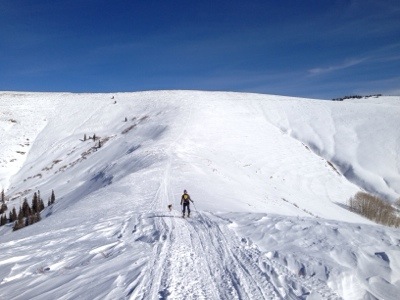
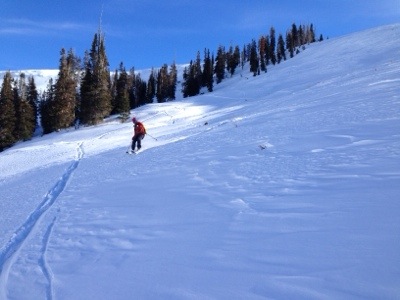
Today I went up with J.K. and skied from about the elevation of my house up to the Skyline Drive. We had bluebird weather, little wind and a short section (700 vert?) on the way down with some decent powder. We climbed some 3,800 feet and descended in about 4-1/2 hours. Because of the continuing high pressure system off in the Pacific, we had little wind, and then the snow was pretty thin in spots too.
Due to a recent shoulder injury (Sept.), I have not been able to swim with the freestyle stroke yet. Consequently I am only doing breaststroke. Today I just finished up a lap session in the pool and caught up with the Matt, the pool manager/coach. He gave me some good pointers on improving my breaststroke. He called it a “rest” stroke as one rests a little during the glide, but that is the fastest rest stroke.
The most important thing, he said, was to kick my feet and then glide, not the opposite as I had been doing. He said this stroke is 70% feet and 30% arms.
And also suggested to keep my head reasonably low, otherwise my feet will drop too much. And of course, only elevate my head just enough to catch my breath, and no more.
Keep my hands shoulder-width apart. It is like doing a pull-up, it is more difficult to do when arms are far apart. And then tuck my head in between my arms like diving.
And last, don’t pull my hands down past my chest as it wastes energy.
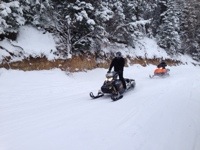
Today I started off my the Rando ski season with a short workout on a forest service road, near my home. At the car I was met by snowmobilers going up, just as I was ready to go up as well, giving new meaning to the term “share the road.”
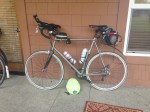
Titanium Seven Axiom Bike outfitted & ready to go.
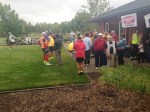
Riders at the start line — note the misty, rainy weather. The forecast was record-breaking rain at the north end of the route.
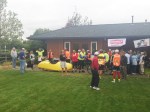
Riders at the start line — the big banana is Willie Hunt’s.
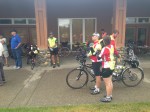
Start line including couple from the U.K. on a tandem.
Yummy food spread at an overnight checkpoint.
Sleeping accommodations. Regretfully their was no hot water here during our stay.
False flat.
Gentlemen from Japan who rode a hard tail MTB with full 2.0″ tires…and he finished.
Paceline into the wind, just after the turnaround point of thje ride.
Infamous Janesville Grade…15 or so percentage.
Post ride luncheon in Davis.
Buzz Scher & I at the luncheon.
Here’s my pix from the 2013 running of the Gold Rush Grand Randonnée, held in northern California and sponsored by the Davis Bike Club. This was my second time riding this out and back event and, as expected, the support was phenomenal. The first 48 hours were unseasonably cold with plenty or rain, so I didn’t take many photos during that period of time.
This event started on a Monday evening at 6:00 p.m. After the first 90 miles of flat terrain, the route begins to climb and then finally it descends into the first checkpoint. As I was descending in the dark (I was alone at that point, having been dropped my others) it was blowing rain from my left side (is “blizzard” a word that can be used for a rainfall?). My visibility was horrible as my glasses were totally dripping wet. While making this gradual descent I heard a clang, as I hit some sorta of metal debris. I was traveling perhaps 25 MPH and I immediately flatted. I pulled over onto the gravel or muddy shoulder and proceeded to replace my tube. Shortly, the SAG vehicle caught up to me and assisted with a floor pump — BLESS HIS HEART! A few miles later I arrived at the Oroville checkpoint at about 1 or 2 in the morning, as I recall. After a terrific midnight snack I continued on in the darkness.
I arrived at the next staffed checkpoint in Taylorsville just time for a killer sit-down breakfast…somewhere around 8 a.m. The rain was letting up a little. From there I made my way over the Janesville Road grade (approx. 15%) and down to Susanville. At this checkpoint I met Buzz Scher (from Anchorage AK) and he was looking for some riders to hang with, as the next portion of the ride would be in the dark. He and I join forces and ended up riding most of the balance of the event together. Despite being similar ages, he was stronger than I, especially on the climbs. Ten days prior to starting this event I did a fast 140-mile charity ride in Utah — I wonder if that didn’t allow me enough taper. I typically allow a full two weeks of taper from my last long (100 mile or so) event before doing 1200 km events. We arrived at the Adin checkpoint, after more than 24 hours or continuous riding and finally got a sleep stop and a shower.
After 4 or 5 hours of sleep, we heading out the following morning with a good tail wind heading into Davis Creek. I noticed other riders returning from this turn around point at mile 387, battling the 10-15 MPH headwind, but riding solo. That was crazy. Upon arriving at this checkpoint, I waited a while until several riders arrived and organized a paceline of about 5 riders for return trip into the wind. We picked up one other on the way too. Working together made the job much easier. We pushed all the back to Susanville arriving just after dark for another overnight stop.
The following morning we left at dawn, tackling the steep climb over Janesville. Buzz easily out-climbed me through this section and I later rejoined him. Unlike in 2009, at least I was able to peddle this whole climb, as I had a lower gearing compared to last time (this year my compact double had a 50/33 in front and 12/30 in the rear). At this point of the event, my butt was killing me. This was my first ride over 400km with this titanium frame. This frame just seemed to transmit more vibrations than my carbon-fiber frame (read more about this issue here). I eventually made it back to Oroville before dark and regrouped with Buzz and others (after getting another flat on my front tire again…I later discovered a small gash in my tire, most likely from my day one flat and then booted it). Four of us left Oroville as a group, working together for the last 100 miles on this flat terrain in the dark. Unlike in 2009, the bugs in the Sacramento Valley were vicious this year and consequently we tried to keep our time off the bike short. We arrived at the finish in the middle of night, with a time of 79 hours. I really only took two sleep stops, unlike most 1200s, where I typically took three overnight sleep stops, hence a better-than-average time.
Many thanks to Dan Shadoan (RBA) and the Davis Bike Club for sponsoring this event. The volunteers were most helpful and this year especially, the meals were incredible.
To view many photos shot by volunteer Deb Ford, go to this page (link of pix of the actual ride only — she has links of the pre and post ride things activities too).
Equipment Footnotes: On nearly every long event, I am usually testing something new, for possible inclusion on my site eoGEAR.
Socks — With the forecast of heavy rain for the first 48 hours, I decided to start out wearing a thin (2mm) pair of neoprene socks, instead of using a neoprene or other type of bootie. The booties always seem to eventually soak through and my wool (combined with some synthetics) socks soak through as well. I found that my feet stayed warm, despite continuous driving rain for hours on end and the temps in the lower 50s (possibly upper 40s). The only thing I didn’t like was the squishy feeling when I put power into my downstroke.
Gloves — Finding a warm, waterproof yet compact glove for cycling has always been a challenge. Earlier this summer I started using the types of gloves. One was the Seirus Xtreme All Weather Glove. It has a thin neoprene exterior with a light bemberg or flannel-like (but synthetic, not cotton) lining. This glove worked very well during this heavy rain and provided good dexterity for shifting and pushing the buttons on my GPS and cyclocomputer.
The other glove I have been testing and functions great in rain or cold rides is the Outdoor Designs Summitlite. It is especially good for tall, long-armed folks like me as it has a long gauntlet. It is about half the weight of the Seirus.
The only thing I dislike on both of these gloves is that the liner pulls out when you had gets slightly sweaty and is hard to reinsert. The key is to squeeze on the finger tips when removing them.
Bike Frames — As stated earlier, this was my longest ride to date with a Ti frame. More on that here.
Saddles — Earlier this summer, I have been testing the Rivet saddle line with my Ti frame. It didn’t appear to be quite as comfortable as my Gilles Berthoud Aravis, so I chose to use the GB on this event (but that have been my Ti frame as the problem, not the design of the Rivet). Oddly, after two seasons, I started developing some chafing on the inside of my thighs with the Aravis. I consequently made a compression strap, similar to those I make and sell for the Selle Anatomica saddles and the problems was solved.
Are you too lean? Do you have back or other bone problems?
I have some athletic friends that are very lean and also have back problems. Today, during a Google search, I discovered something I have always wondered about, but could never find information about, until now….
“Body-fat percentages are reduced with weight loss. With reduced body fat, your body loses the cushioning effect of body fat in places such as your buttocks and hips. Reduced cushioning in your buttocks may cause discomfort when sitting on hard surfaces and may affect spinal alignment.”
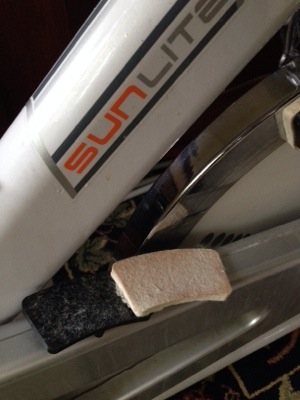
After many months of not using my spin bike, today I was forced to because of a shoulder injury. 30 minutes into my work out one of the brake pads flew off (after increasing the resistance on the main wheel). It turns out the brake pads are merely glued to a plastic housing. How cheap can you get? Can you imagine if on a real bicycle, the pads were only glued instead of set inside a recessed housing?
The brand is Sunlite, also sold under the Forza label.
I already had many troubles early on as it was not tall enough to support my six-foot four frame. Consequently I had to have a local machinist drill out new holes to get to seat post high enough and to get the handlebars where I needed them.
Also, early on, I had issues with the brake pads as they squealed, and, unlike a real bike brake system, there was no way to adjust them into a “toe in” mode. I ended up taking electrical tape and creating a shim to get the preferred toe in position, thus eliminating the noise.
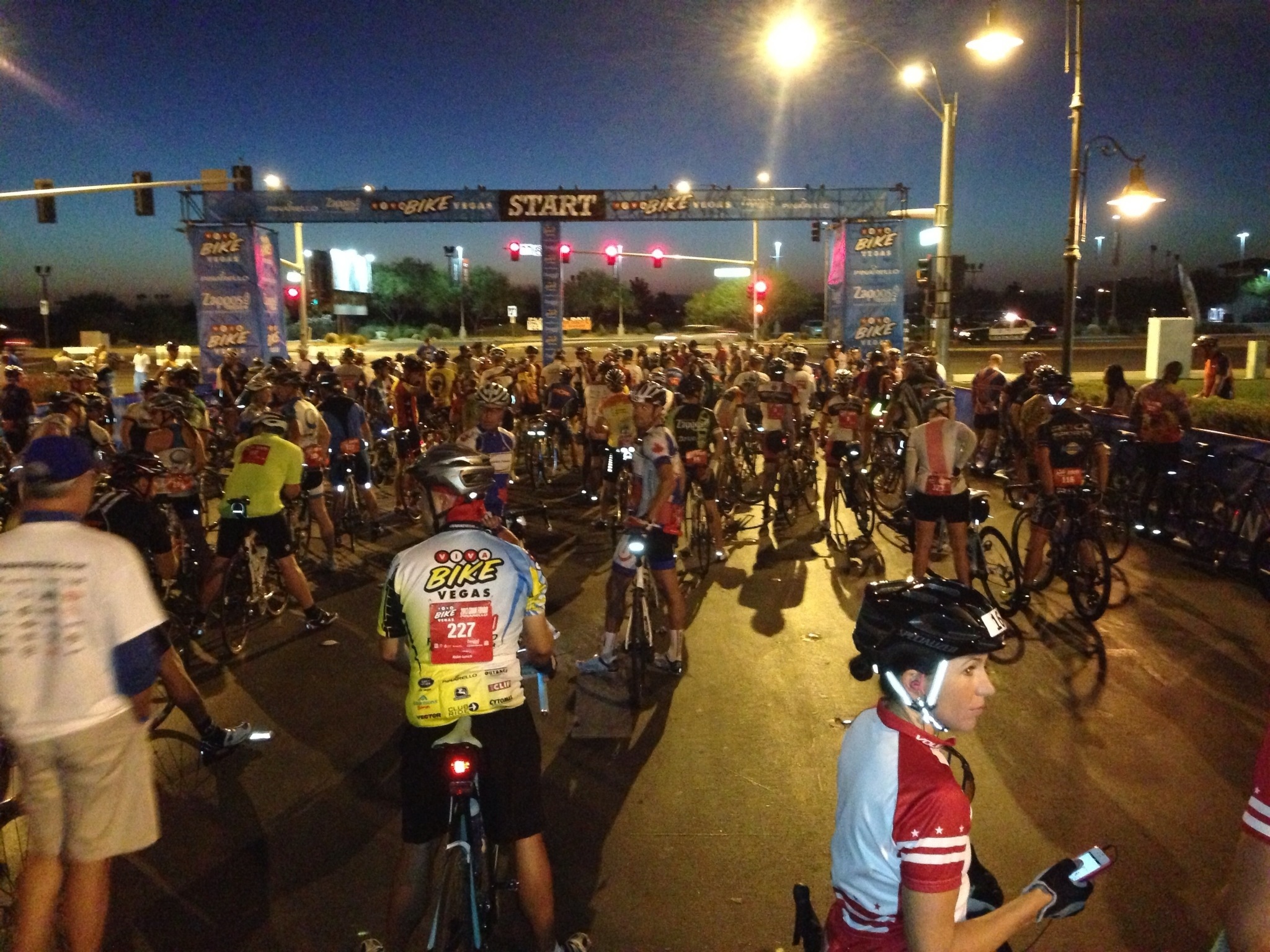
Wave one (some 300-350 cyclists) of this event at 06:00. A nice 70F with little wind, til later when the wind picked up to the mid 20s.
This past week I was selling my bags at the registration check in for the the Viva Bike Vegas Gran Fondo (we ran out of several colors of our wildly popular “Top Tube Century Bag”). I also did this ride on Saturday and injured my left shoulder during this 104-mike event. In my six years of cycling, this is the first time I sustained an injury that required medical attention. In a nutshell, I was descending one of those narrow paved bike trails that are very curvy. (Yes I know, the reason they make those trails curvy is so cyclists don’t go too fast!) There was loose gravel and/or dirt on either side of the trail. I felt I was going too fast for the turn, so I deliberately overshot it and went onto the shoulder and dumped into the rather soft gravel on the edge of the pavement. (According to my GPS Strava download, my speed was 38 MPH. Zoom in on the satellite view at mile 85.6.) Although it hurt a bit quite a bit if I moved it, I was able to get back on the bike and finish the event.
I knew something was wrong because the left shoulder looked different from the right (there was an obvious protrusion on the left side, which was not found on my right side…need I say more?), indicating that it was either broken or possibly dislocated. After a trip to the emergency room it was determined that it was a torn AC ligament. This means essentially that I will require just a lot of rehab. My first appointment with an orthopedic surgeon indicated that with this type of grade 3 injury, that surgery may be the best long term option. But that is not necessarily the opinion of others. I am now seeking a second opinion.
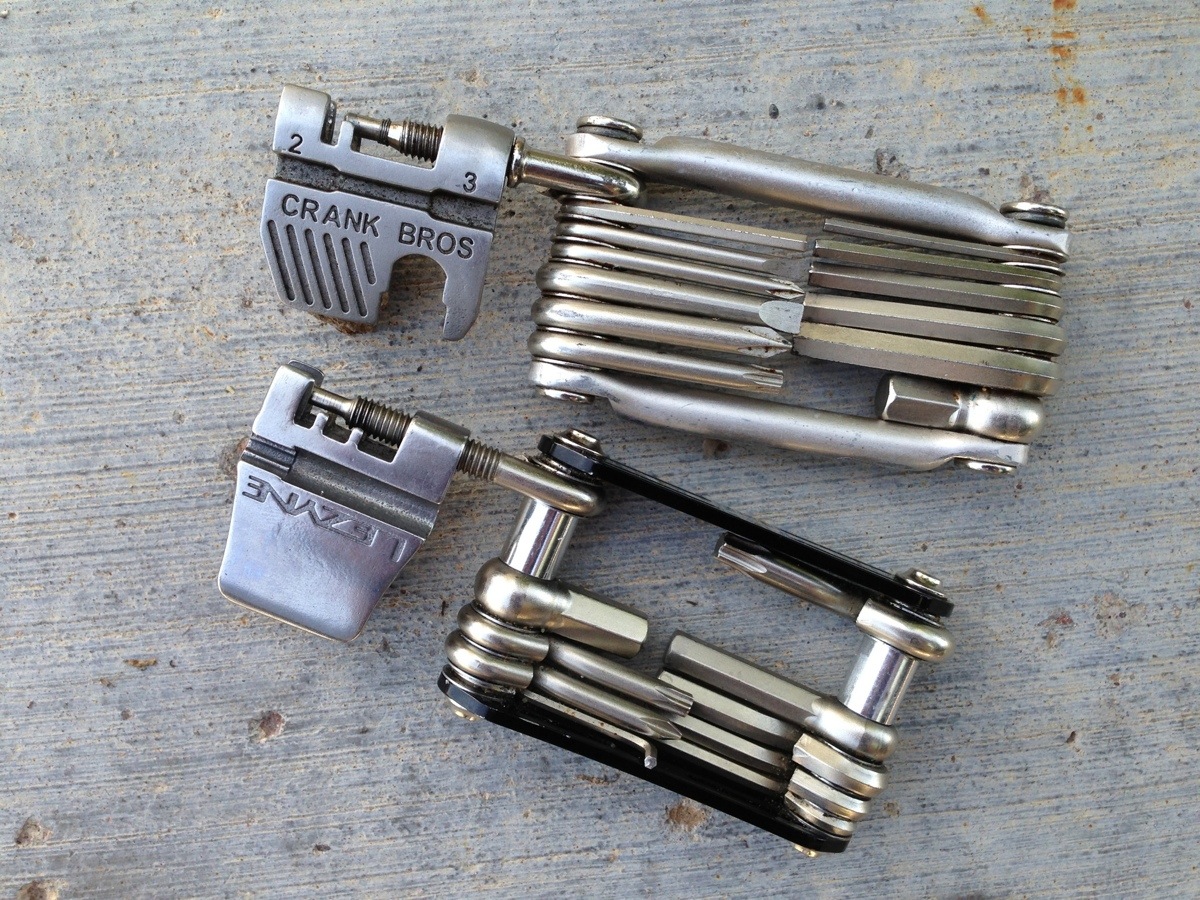
Recently while on a 200K ride, one of my friends had a mechanical where his chain got twisted. I had spare links but for the life of me could not remove the old ones because of the tool which I had. It was a Crank Brothers multi tool. The problem is that the chain tool pin did not thread in far enough, as you can see by these photos, and consequently it would not push the old pin completely out of the chain. We finally borrowed a pair of pliers from a nearby neighbor so we can take out the old pin and straighten the chain. Had we been on the country farm, some three miles earlier, we have been fat out of luck as there were no residences nearby.
Word to the wise: buy a Leyzne, not a Crank Bros multi tool.








 Rando Richard Blog